
Topaz Labs
Facts verified:
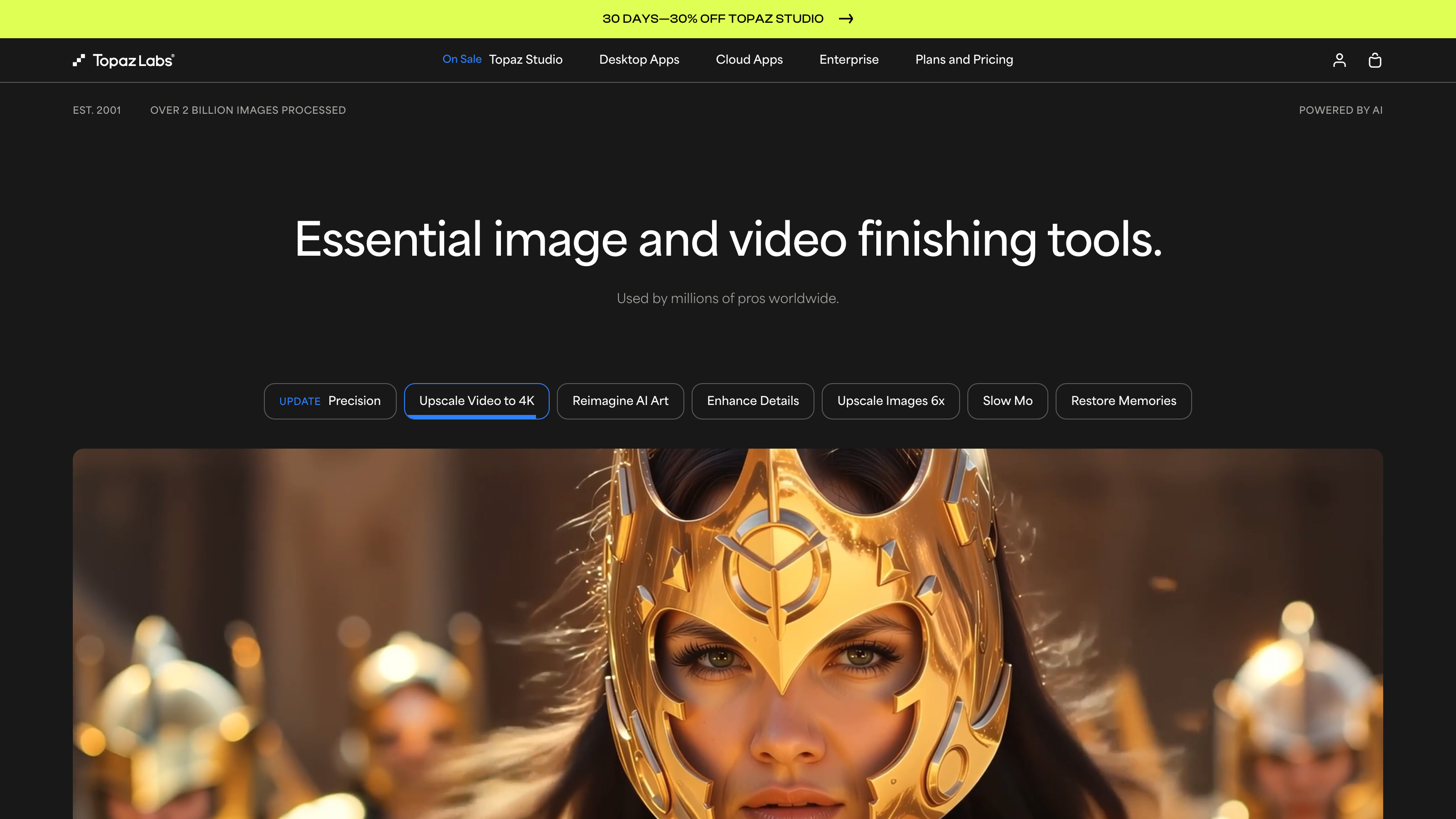
Topaz Labs Review: A Deep-Dive into AI-Powered Image and Video Enhancement
TL;DR
This Topaz Labs review covers a professional-grade AI platform for image upscaling, video enhancement, noise reduction, and generative visual tools. Topaz Labs offers desktop, web, mobile, and API access, with plans ranging from $9/month (Mosaic) to $299/month (Astra Pro), as verified from the official site in July 2026. It is best suited to photographers, video editors, marketing teams, and agencies who process visual content at volume and need production-quality results without manual post-production work.
Overview
Topaz Labs began as a plugin developer for photographers and has since grown into a multi-product AI platform. Today it offers a full suite of AI Apps for Images and AI Apps for Videos, covering everything from sharpening blurry photos to upscaling low-resolution footage to 4K. This Topaz Labs review is grounded in verified pricing and feature data.
The core problem Topaz Labs solves is straightforward: high-quality visual enhancement traditionally requires expensive hardware, skilled operators, and significant time. Topaz Labs automates much of that process using deep-learning models trained on large visual datasets. The result is that a solo photographer or a small marketing team can produce output that would previously have required a professional post-production facility.
The platform includes several distinct products - Topaz Photo AI, Topaz Video AI, Gigapixel AI, Topaz Image Web, Astra, Bloom, and Mosaic - each targeting a specific use case. These tools can be used individually or bundled under the Topaz Studio subscription. The platform supports web, desktop, mobile, and API access, making it flexible for different production environments.
Pricing and feature details in this review were verified from the official site in July 2026.
Key Features
Topaz Photo
Topaz Photo functions as an all-in-one image enhancement assistant. It automatically detects noise, blur, and exposure issues, then applies AI corrections tailored to each image. Rather than requiring manual slider adjustments, it analyzes the subject and background separately, applying the right level of sharpening and denoising to each area. This is particularly useful for photographers shooting in low light or with older gear.
Topaz Video
Topaz Video is the platform's flagship tool for footage enhancement. It uses AI motion stabilization, frame interpolation, and detail restoration to improve video quality. A key use case is upscaling archival or lower-resolution footage to meet modern delivery standards. For video creators and post-production teams, this means older content can be repurposed for current campaigns without reshoots.
Topaz Gigapixel
Gigapixel AI handles image upscaling at extreme ratios. It enlarges photos by significant multiples while preserving fine detail - faces, textures, and edges - that simpler upscaling methods blur or distort. Topaz Gigapixel is also available as a standalone mobile application (Gigapixel iOS), making high-quality upscaling accessible directly from a phone.
Topaz Image Web
Topaz Image Web is a browser-based tool for image enhancement, designed for teams that need to process images without installing desktop software. It comes in two tiers - Personal at $12/month and Pro at $35/month - and suits workflows where multiple team members need access from different machines. This connects to the platform's Cloud Image Concurrency feature, which controls how many images can be processed in parallel at the same time.
Astra
Astra is Topaz Labs' generative AI tool. It allows users to create and reimagine images using AI, expanding the platform's scope beyond restoration and enhancement into original content generation. The jump from Astra Personal ($19/month) to Astra Pro ($299/month) signals that commercial-scale generative use is treated as a distinct, premium product category with no middle tier available, based on verified data.
Bloom
Bloom is focused on AI-driven visual styling and creative image transformation. It sits alongside Astra in the generative category and provides tools for creating stylized visuals, which can be useful for design and branding work or creative campaigns.
Mosaic
Mosaic is the platform's most affordable standalone tool, aimed at users with lighter needs. At $9/month, it provides the lowest-cost entry point into the Topaz Labs ecosystem.
Unlimited Cloud Image Rendering and Commercial Use
The Topaz Studio plan includes Unlimited Cloud Image Rendering and Unlimited local rendering, which matters for teams processing large volumes of images. Commercial Use rights are a key feature across applicable plans, meaning output can be used in paid campaigns, client deliverables, and published content without separate licensing fees. Enterprise-level accounts additionally offer Offline Authentication, Seat Management, Enterprise Custom Terms, Enterprise-Built Options, and Dedicated Support.
Topaz Labs: Pricing
Topaz Labs uses a subscription pricing model. There are no lifetime licenses listed on the current pricing page, as verified in July 2026. Here is what each plan costs per month:
- Topaz Studio - $69/mo: Includes all apps, Unlimited local rendering, and Unlimited cloud image rendering. This is the broadest plan and the only one that bundles every tool.
- Topaz Video - Personal - $59/mo: Access to Topaz Video as a standalone subscription.
- Topaz Photo - Personal - $39/mo: Access to Topaz Photo as a standalone subscription.
- Topaz Gigapixel - Personal - $29/mo: Access to Gigapixel AI as a standalone.
- Topaz Image Web - Personal - $12/mo: Browser-based image enhancement at the entry level.
- Topaz Image Web - Pro - $35/mo: Expanded cloud and concurrency features for professional teams.
- Astra - Personal - $19/mo: Generative AI at the individual level.
- Astra - Pro - $299/mo: Enterprise-scale generative AI with commercial capacity.
- Bloom - Personal - $39/mo: AI visual styling tools for individual use.
- Mosaic - Personal - $9/mo: The most affordable standalone option in the suite.
The Topaz Studio plan at $69/month offers the best per-tool value if you need more than two individual apps. To illustrate: Topaz Video ($59/month) plus Topaz Photo ($39/month) alone would cost $98/month, which is $29/month more than the full Studio bundle. For users who only need video enhancement, the $59/month Topaz Video plan is a significant ongoing cost without that bundling benefit. Annual billing options and free trial availability are not detailed in the verified data, so prospective buyers should confirm both directly on the official site before committing.
Who It's Best For
Photographers and image editors: Topaz Photo and Gigapixel are built for professional image work. Photographers who regularly deal with noise, blur, or need to enlarge images for large-format print will find real utility here. The AI-Powered Editing pipeline removes much of the manual correction work.
Video creators and post-production teams: Topaz Video is aimed at anyone working with archival footage, broadcast-quality demands, or clients who need 4K deliverables. Editing and Post-Production workflows benefit from frame interpolation and detail recovery without requiring a high-end hardware setup.
Marketing teams and agencies: The Commercial Use rights included on relevant plans make Topaz Labs workable for agencies producing client content. Cloud Image Concurrency in higher tiers supports batch processing for high-volume campaigns. Teams handling Display Advertising, Paid Social Media Marketing, or E-Commerce product imagery will find the batch enhancement tools relevant.
Content creators and influencers: For individual creators who publish regularly, Topaz Studio bundles enough tools to handle both photo and video needs. The Mosaic ($9/month) and Image Web Personal ($12/month) tiers also provide lower-cost entry points for creators who need specific features without the full suite.
Enterprise and production studios: The enterprise features - Offline Authentication, Seat Management, Dedicated Support, and Enterprise Custom Terms - indicate that Topaz Labs targets larger production environments beyond individual users.
Not the right fit - casual or occasional users: If you edit photos or videos a few times a month, the monthly cost structure of Topaz Labs is hard to justify. A user who occasionally needs to sharpen a photo would likely get enough from free tools or lower-cost, one-time-purchase software like those offered by competitors such as DxO PhotoLab or Luminar Neo. The subscription model means there is no one-time purchase option, based on current verified data.
Alternatives
Topaz Labs vs. Adobe Firefly / Adobe Creative Cloud: Adobe offers AI-Powered Editing features within Photoshop and Premiere Pro, including generative fill and upscaling. Adobe's ecosystem is broader but also more expensive at the full suite level, and its generative tools are still maturing compared to dedicated enhancement platforms.
Topaz Labs vs. Luminar Neo (Skylum): Luminar Neo focuses on AI-powered photo editing with a one-time purchase option available. For photographers who want to avoid subscriptions, Luminar Neo is worth comparing, though it lacks Topaz's video enhancement and API access.
Topaz Labs vs. DxO PhotoLab: DxO PhotoLab is a strong competitor for noise reduction and optical correction in photography. It also offers perpetual licensing. However, it does not cover video enhancement or generative AI, making it narrower in scope than Topaz Labs.
FAQ
Does Topaz Labs require a constant internet connection? Enterprise plans include Offline Authentication, which suggests that lower-tier plans may require an internet connection for some features, particularly cloud rendering. Users who need fully offline workflows should confirm requirements directly with Topaz Labs before purchasing.
Can I use Topaz Labs output in commercial client work? Commercial Use is listed as a key feature on applicable plans. Buyers should confirm which specific tiers include commercial rights, as the $9/month Mosaic - Personal plan may have different terms than Topaz Studio. Review the license terms on the official site before signing client contracts.
Is there an API for developers or studios building custom pipelines? Yes, Topaz Labs lists API as a supported platform, which means developers can integrate its AI processing into custom tools or automated workflows. API access terms and pricing are not fully detailed in the verified data, so contact Topaz Labs directly for specifics.
What is the difference between Topaz Studio and buying apps separately? Topaz Studio at $69/month includes all apps plus Unlimited Cloud Image Rendering and Unlimited local rendering. Buying Topaz Video ($59/month) and Topaz Photo ($39/month) separately would cost $98/month for just two tools. The Studio bundle saves $29/month over that combination alone, and adds every other app in the platform.
Does Topaz Labs work on mobile? Gigapixel iOS is listed as a supported product, providing mobile access to image upscaling. Other tools are available on web and desktop. Full mobile support for video processing is not confirmed in the verified data.
Topaz Labs: Final Verdict
This Topaz Labs review concludes that the platform is a strong, well-structured choice for professionals who work with image and video enhancement at volume. Topaz Labs offers a rare combination of AI Apps for Images and AI Apps for Videos in a single subscription, with commercial rights and cloud processing included at higher tiers.
The ideal buyer is a professional photographer, agency, post-production team, or content studio that processes a meaningful volume of visual content regularly and needs consistent, high-quality output without extensive manual editing time.
The main caveat is cost. At $39/month to $299/month for individual tools, the pricing assumes regular professional use. Casual users or those experimenting with AI editing for the first time will find the subscription model expensive relative to what they actually use. If your editing needs are light or occasional, comparing lower-cost or one-time-purchase alternatives - such as DxO PhotoLab for photography or Luminar Neo for AI editing - before committing to a Topaz Labs subscription is a reasonable first step.
The facts.
Pulled from Topaz Labs’s own pages and dated so you can see how current each one is. Anything we could not confirm is left out rather than guessed.
- Starting price / month
- $9/mo checked Oct 2026
- Cheapest paid tier
- $9/mo checked Oct 2026
- Pricing model
- Flat checked Oct 2026
- API access
- Yes checked Oct 2026
- Platforms
- web, desktop, mobile, api checked Oct 2026
Topaz Labs pricing.
Pricing extracted from Topaz Labs's site. Confirm before buying.
Pros & cons.
We don’t publish star ratings we can’t defend. These come from running Topaz Labs on live briefs.
AI-generated analysis; edited and accountable: Tom Young. Data is verified from vendor sites on a dated schedule, not hands-on trials.
- Verified
- July 2026
- Pipeline
- 2026.07.04-1
- Checks run (2)
- author, quality_review
- SEO score
- 68
- Evidence sources (1)
- topazlabs.com