
Veo 3
Facts verified:
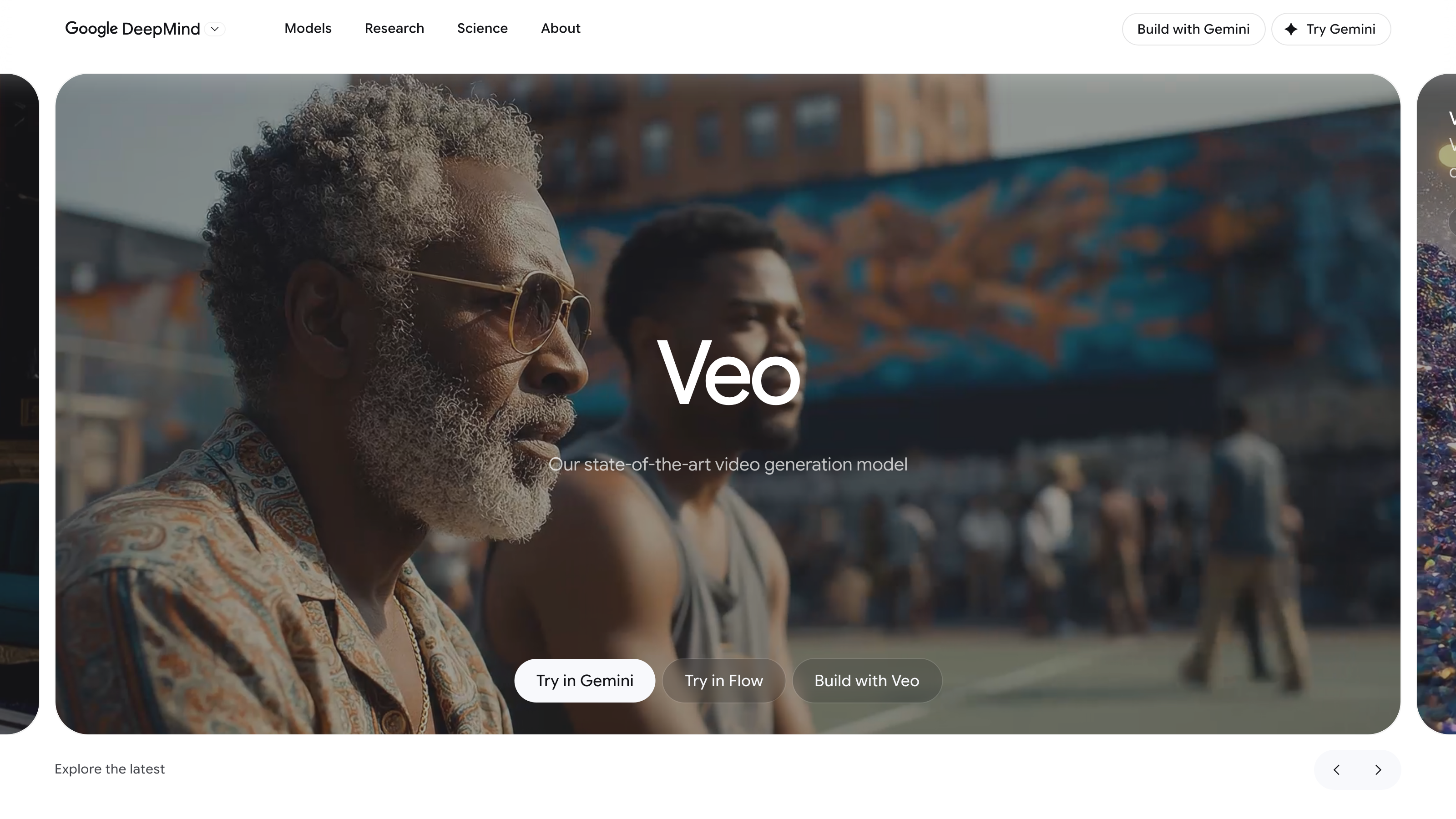
Veo 3 Review: Google DeepMind's Text-to-Video Model Tested on Features, Pricing, and Real-World Use
TL;DR
This Veo 3 review covers Google DeepMind's text-to-video generation model, which converts written prompts into cinematic video clips with native audio. Veo 3 targets content creators, marketing teams, and agencies who need high-quality AI-generated video without a traditional production setup. It is available as a Cloud / Web-Based platform with Free, Freemium, and Subscription access tiers, and pricing details were verified from the official site in July 2026.
Overview
Veo 3 is Google DeepMind's flagship generative video model. It sits within the broader category of AI Apps for Videos and focuses on one core task: turning descriptive text into realistic, moving video. The problem it solves is straightforward - professional video production is expensive, slow, and logistically complicated. Veo 3 removes most of those barriers by letting a user type a scene description and receive a finished video clip in return.
What separates Veo 3 from earlier versions and many competitors is its Native Audio Generation capability. Most text-to-video tools produce silent clips that require a separate audio workflow. Veo 3 generates sound alongside the image, which cuts a meaningful step out of the production pipeline.
The model is accessible through web and API channels. The API option - an application programming interface, which is a technical connection layer that lets other software communicate with Veo 3 - opens the door for developers and studios to integrate the model into existing tools and production systems.
Google DeepMind positioned Veo 3 as a tool for both individual creators and enterprise-scale teams. The range of access tiers - Free, Freemium, and Subscription - reflects that broad target. Casual users can test the model, while professional teams can unlock higher output volumes and commercial-grade features through paid plans.
Pricing and feature details in this review were verified from the official site in July 2026.
Key Features
Veo 3's verified feature set covers four primary capabilities. Each one addresses a specific friction point in AI video generation.
Native Audio Generation
This is the most distinctive feature on Veo 3's list. The model generates audio - ambient sound, dialogue, and environmental noise - as part of the same output process that produces the video. Users do not need to source sound effects, record voiceover separately, or sync audio in post-production. For content creators working quickly or marketing teams producing high volumes, this is a meaningful time saver.
The practical result is a more complete deliverable from a single prompt. A scene set in a busy market, for example, can include crowd noise and ambient sound without any additional tooling. Competing tools such as Runway Gen-3 Alpha and Sora do not include this bundled audio generation, meaning Veo 3 reduces at least one discrete production step that those alternatives still require.
Improved Prompt Adherence
Earlier generative video models often drifted from the original prompt. A request for a red car on a coastal road might return a blue car in a parking lot. Improved Prompt Adherence means Veo 3 follows the language of the prompt more consistently, delivering outputs that match what the user asked for. This matters most to marketing teams and agencies, where a specific visual brief needs to be met reliably across multiple iterations.
Fewer rejected outputs per brief means less time spent re-generating, which is a direct cost saving for teams working under deadline pressure.
Improved Creative Control
Creative Control refers to the ability to direct the output beyond a simple description. This includes adjustments to camera angle, shot framing, lighting style, and movement. Veo 3 allows prompt-based direction - using language to specify a wide-angle shot, a slow zoom, or a particular lighting mood. This kind of control brings the tool closer to actual filmmaking direction, which benefits video creators, agencies, and educators producing instructional content.
The improvement over prior versions means fewer trial-and-error iterations to get a usable shot. The key limit to understand is that this control works through written language, not a visual timeline or parameter slider, so it suits directors and writers more than precision editors.
Extended Video Generation
Veo 3 supports Extended Video Generation, meaning it can produce longer clips than many competing models. Longer output reduces the need to stitch together short segments, which adds editing time and can create visible seams in the final product. For storytelling and narrative content, this feature supports more coherent sequences in a single generation pass.
The exact maximum duration per generation is not specified in the verified product data. Users with firm length requirements should test within their available tier or contact Google DeepMind directly for confirmation.
Veo 3: Pricing
Veo 3 operates on a Free, Freemium, and Subscription pricing model. The Cloud / Web-Based platform makes it accessible through a browser without any local installation required.
Specific dollar figures for each tier are not publicly listed on the homepage in enough detail to report exact prices here. The verified pricing model includes a free access tier, a freemium middle tier, and a paid subscription tier. This structure suggests that casual users can generate video at no cost, while higher-volume or commercial users would move to a paid plan.
The API access path is separately available for developers integrating Veo 3 into production workflows, though specific API pricing is not publicly detailed on the main product page.
One important note for prospective users: free and freemium tiers in AI Apps for Videos commonly include output watermarks, generation caps, or restrictions on commercial use rights. The product site does not publicly specify which of these limitations apply to each tier. Buyers planning commercial use should confirm the terms of their specific tier before committing to a workflow built on Veo 3 outputs. This is not a minor detail - a watermarked or non-commercial output is unusable for paid client work regardless of its visual quality.
Who It's Best For
Content Creators and Video Creators Independent creators who produce regular video content benefit most from the combination of Native Audio Generation and Improved Creative Control. Both features reduce the number of separate tools needed to finish a clip. A creator who previously needed a video generator, a separate audio tool, and an editing suite can consolidate more of that work into Veo 3.
Marketing Teams and Agencies High-volume video needs fit the subscription model well. Marketing teams running multiple ad variants or campaign tests can use Improved Prompt Adherence to maintain visual consistency across outputs. Agencies producing branded content for clients benefit from the Extended Video Generation feature, which supports longer deliverables per generation pass.
Storytelling and Scriptwriting Professionals Writers and directors exploring visual concepts benefit from prompt-based camera direction and scene control. Veo 3 functions as a fast prototyping tool - turning a script scene into a rough visual before committing to a full production. A scene that would take hours to block and shoot can be visualized in a single generation pass, which is directly relevant to scriptwriting and storyboarding workflows.
Startups and Small Business Teams without a dedicated video production budget can use the Free or Freemium tier to produce basic video content. Product explainers, social media clips, and promotional content are all within reach without hiring a production company.
Not the Right Fit: Professional Post-Production Editors Video editors working in professional post-production who need frame-accurate control, multi-track audio editing, and integration with tools like Adobe Premiere or DaVinci Resolve will find Veo 3 limiting. The tool generates outputs but does not offer the granular editing environment a professional editor requires. Those users should continue using dedicated non-linear editing software and treat Veo 3, at most, as a source for raw footage rather than a replacement for their existing pipeline.
Alternatives
Runway Gen-3 Alpha Runway is one of the most established names in AI video generation. It offers text-to-video and image-to-video generation with a robust feature set aimed at professional creators and studios. Runway's editing tools are more developed than most competitors, which suits post-production workflows better. It does not include native audio generation, so users still need a separate audio step.
Sora (OpenAI) OpenAI's Sora is a direct competitor in the text-to-video category. It targets a similar audience of content creators and marketing teams. The comparison between Sora and Veo 3 centers on output quality, prompt adherence, and access pricing - all of which depend on the specific tier and use case. Like Runway, Sora does not bundle audio generation into its output process.
Kling AI Kling AI, developed by Kuaishou, competes in the extended video generation space with a focus on longer clips and cinematic motion. It is a relevant alternative for users whose primary need is duration and motion quality rather than native audio generation.
FAQ
Does Veo 3 generate audio automatically, or is it a separate step? Native Audio Generation is a built-in feature of Veo 3. The model produces audio alongside the video in the same generation process. Users do not need to record or sync audio separately. This includes ambient sound and environmental audio based on the scene described in the prompt.
Can I use Veo 3 outputs for commercial projects? Commercial use rights depend on the pricing tier. The verified pricing model includes Free, Freemium, and Subscription options, but the specific commercial use terms for each tier are not fully detailed on the main product page. Users planning commercial use should review the terms of service for their tier before using outputs in paid or client work.
Is Veo 3 available as an API for developers? Yes. Veo 3 is available through both a web interface and an API. The API allows developers to integrate the model into their own tools, applications, or production pipelines. Specific API pricing and access terms are not publicly listed on the main product page.
How long can generated videos be? Veo 3 supports Extended Video Generation, which means it can produce longer clips than many competing models. The exact maximum duration per generation is not specified in the verified product data. Users with specific length requirements should test within their available tier or contact Google DeepMind directly.
Do I need to install software to use Veo 3? No. Veo 3 is a Cloud / Web-Based platform. It runs through a browser and requires no local installation. This makes it accessible on most devices without technical setup, though a stable internet connection is required for generation.
Veo 3: Final Verdict
This Veo 3 review lands on a clear recommendation: Veo 3 is a strong choice for content creators, marketing teams, and agencies who need AI-generated video with audio included and reliable prompt-to-output fidelity. The Native Audio Generation feature alone removes a production step that tools like Runway Gen-3 Alpha and Sora still require. The Free and Freemium tiers make it practical to evaluate the model before committing to a Subscription.
The main caveat is pricing transparency. The lack of clearly published tier limits, generation caps, and commercial use terms on the main product page makes it harder to compare Veo 3 directly against alternatives. Teams with specific output volume needs or strict commercial licensing requirements should contact Google DeepMind or test the tool at the available free tier before building a production workflow around it.
For professional post-production editors who need frame-level control and deep integration with tools like Adobe Premiere or DaVinci Resolve, Veo 3 is not a replacement for dedicated editing software. For content creators, marketers, and storytellers producing video at scale or on a limited budget, it is worth a serious look.
The facts.
Pulled from Veo 3’s own pages and dated so you can see how current each one is. Anything we could not confirm is left out rather than guessed.
- API access
- Yes checked Oct 2026
- Platforms
- web, api checked Oct 2026
Pros & cons.
We don’t publish star ratings we can’t defend. These come from running Veo 3 on live briefs.
AI-generated analysis; edited and accountable: Tom Young. Data is verified from vendor sites on a dated schedule, not hands-on trials.
- Verified
- July 2026
- Pipeline
- 2026.07.04-1
- Checks run (2)
- author, quality_review
- SEO score
- 66
- Evidence sources (1)
- deepmind.google