
Trupeer
We may earn a commission if you sign up through our link · Affiliate disclosure
Facts verified:
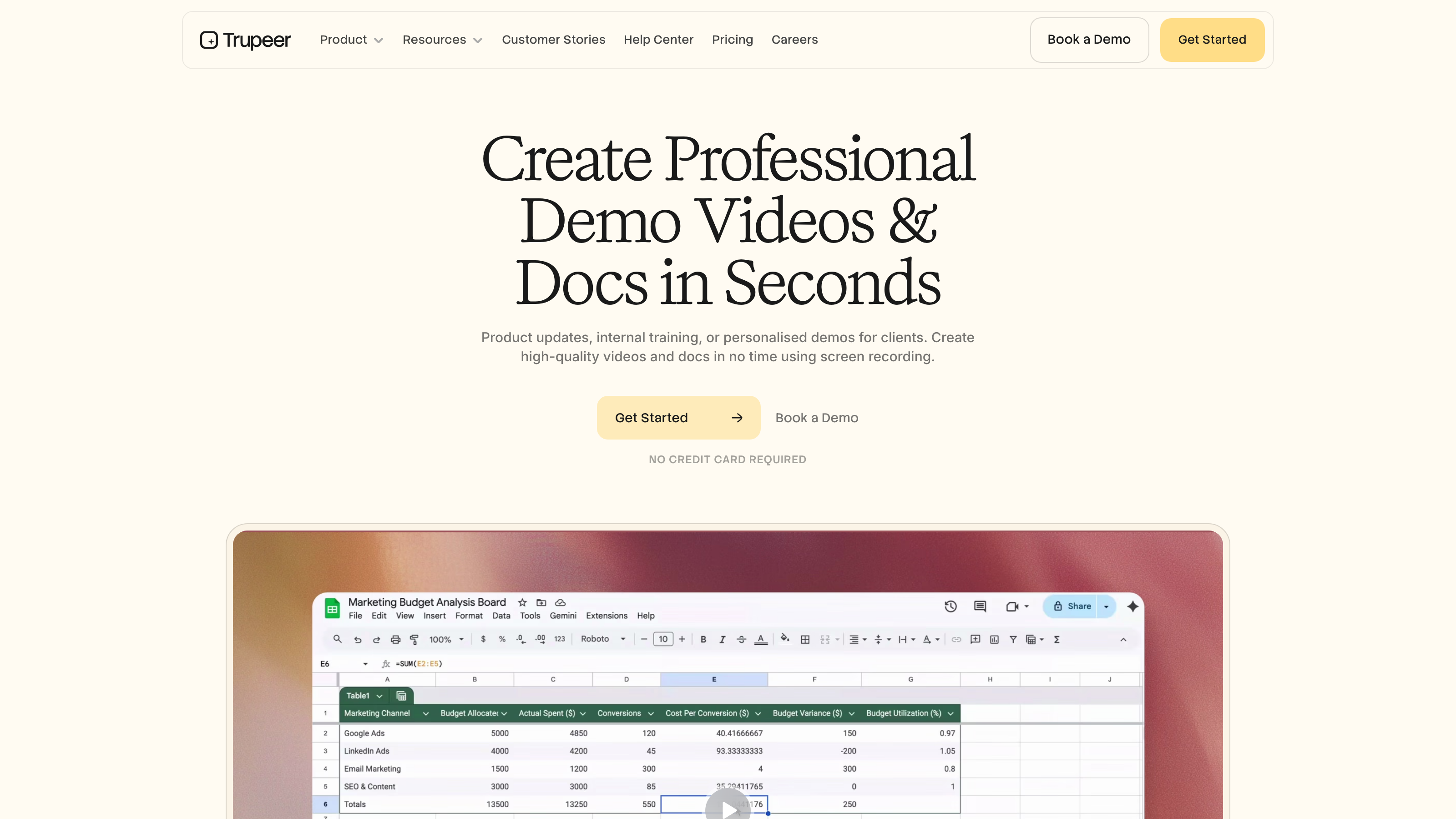
Trupeer Review: AI-Powered Video Creation for Teams That Need Scale and Speed
TL;DR
Trupeer is an AI-powered screen recording and video creation platform priced from $0 to $199/month on standard plans, with verified pricing as of July 2026. Trupeer automates the full pipeline from raw screen recording to polished, branded video using AI Video Generation, making it a practical choice for marketing teams, training departments, and content creators who need professional output without a dedicated production crew. This Trupeer review finds Trupeer strongest for software demos and structured business content, and a poor match for creative or social-first video workflows.
Overview
Trupeer is a Cloud / Web-Based platform that solves a specific problem in business content production: the gap between a rough screen recording and a finished, branded video. Most teams either spend hours editing raw footage or pay agencies with long turnaround times. Trupeer compresses that process into minutes by applying AI at every step - scripting, voiceover, avatar generation, branding, and translation.
The platform runs as both a web application and a Chrome Extension, so users can capture and process content without switching between multiple tools. It fits the category of AI Apps for Videos, with crossover into AI Apps for Text (through script generation and AI guide creation) and AI Apps for Images (through thumbnail and visual asset handling).
Trupeer is built for business use cases first. The core workflow covers software demos, product walkthroughs, onboarding videos, and internal training materials - not cinematic storytelling or social media short-form clips. That focus shapes both its strengths and its limitations, which this Trupeer review addresses directly.
Pricing and feature details in this review were verified from the official site in July 2026.
Key Features
AI Video Generation
The platform's central capability is AI Video Generation. After a screen recording is captured, Trupeer processes the footage and applies automated enhancements: zoom effects, animations, voiceovers, and branded overlays. The result is a video that looks edited without requiring manual editing work. This is the primary differentiator from basic screen recorders like Loom or native OS tools, which require separate editing software to achieve comparable output.
Chrome Extension
Trupeer offers a Chrome Extension that lets users record directly from the browser without downloading standalone software. This matters for teams already working inside web-based tools, SaaS platforms, or browser-based workflows. The extension connects to the cloud processing pipeline, so recordings are sent directly to Trupeer's AI engine with no extra steps.
AI Guide Creation
Beyond video, Trupeer generates step-by-step written guides from recordings. This capability sits in the AI Apps for Text category. A single screen recording can produce both a finished video and a formatted written walkthrough - useful for support documentation, onboarding flows, and internal wikis. The Free tier limits users to 5 AI guides; the Pro tier and above include unlimited AI guide creation.
AI Avatars and Voiceovers
Trupeer integrates with HeyGen to offer AI avatar and voiceover functionality. Users can produce videos featuring realistic AI avatars or voice cloning without appearing on camera themselves. This falls under the Voice Cloning and AI Avatar Generation feature set. It expands the platform's use beyond simple screencasts into avatar-led explainer videos and product demos, which is useful for teams that want a polished presenter style without on-camera recording.
Knowledge Base and AI Search
Trupeer offers a standalone Knowledge Base add-on at $150/month and a Knowledge Base with AI Search tier at $200/month. The AI Search tier includes 1,000 AI searches per month and video timestamp search, which lets users locate specific moments inside video content by searching text. That capability is not standard in this tool category. It moves Trupeer beyond video creation into structured knowledge management, which is meaningful for teams building internal documentation hubs or customer-facing help centers.
Multilingual Support and Translation
The platform supports video translation, allowing teams to localize content for different regional markets without re-recording. This connects to the Multilingual Support feature set and makes Trupeer relevant for global organizations that need the same training or demo content in multiple languages. The specific languages and locales supported are not detailed on the public pricing page; teams with specific language requirements should confirm coverage directly with Trupeer before purchasing.
Automation and Workflow
Trupeer's pipeline runs largely automated from recording to export. This Automation and Workflow capability separates it from more manual video tools. Marketing teams benefit most from the ability to push content through a consistent production pipeline without per-video editing overhead, because it keeps output costs predictable as volume increases.
Trupeer: Pricing
Trupeer uses a Freemium model with multiple paid tiers. Here is a breakdown of every plan listed on the verified product site as of July 2026:
Free - $0/month
- 10 AI video minutes
- 5 AI guides
- 3 video exports
This is a workable entry point for individuals testing the platform, but the 3-export cap rules out real production use.
Pro - $40/month
- 20 AI video minutes
- Unlimited AI guides
- Unlimited video exports
Pro is the first tier that removes the export ceiling. The 20 AI video minutes per month may cover small teams with moderate output needs, but teams producing more than a few videos per week will likely hit that ceiling.
Scale - $199/month
- 100 AI video minutes
- Unlimited AI guides
- Unlimited video exports
Scale addresses higher-volume teams. At $199/month, the cost is meaningful, and buyers should calculate whether 100 AI video minutes covers their monthly production requirements before committing.
Enterprise - Custom pricing
- Custom AI video minutes
- Unlimited AI guides
- Unlimited video exports
- Requires direct conversation with the Trupeer team
Enterprise pricing is not listed publicly, which is standard for this category. Teams evaluating Enterprise should factor in negotiation time when planning procurement timelines.
Knowledge Base - $150/month
- Unlimited articles
- Custom branding
- Custom domain
Knowledge Base with AI Search - $200/month
- Everything in the Knowledge Base plan
- 1,000 AI searches per month
- Video timestamp search
The Knowledge Base tiers are priced as add-ons or standalone products. They are relevant for teams building structured documentation hubs, but they add significant monthly cost on top of a core video plan. A team on the Scale plan that adds Knowledge Base with AI Search reaches $399/month total.
Who It's Best For
Marketing Teams Marketing teams running product-led growth or SaaS onboarding campaigns are a natural fit. They typically need a steady stream of demo videos, feature announcements, and walkthrough content. Trupeer's Automation and Workflow features reduce the per-video production cost, and unlimited exports on Pro and above mean output scales without per-video fees.
Educators and Training Teams Teams building AI-Generated Training Materials - including corporate learning and development departments and online course creators - benefit from the dual output of video plus written AI guides. A single recording session can produce multiple content formats, which saves time for structured curricula or compliance training programs.
Content Creators Video Creators who produce software tutorials, product reviews, or technical how-to content can use Trupeer to speed up post-production. The AI avatar feature is particularly useful for creators who want a polished presenter style without on-camera recording.
Startups and Small Business Startups and Small Business teams with lean headcount and no dedicated video editor can use Trupeer to produce professional-looking product demos without outsourcing. The Free tier allows basic experimentation, and the Pro tier at $40/month is accessible compared to hiring a video editor or production contractor.
Agencies Agencies managing multiple client accounts can use the Scale or Enterprise tiers to maintain Brand Consistency and Style across client deliverables, using template-based workflows and the custom branding options available in the Knowledge Base tiers.
Not the Right Fit: Cinematic or Social-First Video Creators Trupeer is built around screen recordings and software demos. A social media video producer who creates lifestyle content, narrative storytelling, or short-form entertainment will find that Trupeer's feature set does not address that workflow at all. Tools like CapCut (for social editing) or Runway (for generative video and cinematic AI effects) are better suited to those needs. Trupeer's AI Video Generation is optimized for structured walkthroughs, not creative or narrative video.
Alternatives
Loom Loom is the most direct competitor in the screen recording category. It offers async video messaging and basic editing but lacks Trupeer's AI-generated guides, avatar functionality, and knowledge base features. Loom is simpler and better suited to internal team communication; Trupeer is better suited to polished external-facing content like sales demos and customer onboarding videos.
Scribe Scribe focuses specifically on generating step-by-step written guides from screen recordings, overlapping directly with Trupeer's AI guide feature. Scribe does not produce video output, so teams that want both formats will find Trupeer more complete. Scribe is a stronger choice for teams that need only text-based documentation and want to keep costs lower.
Synthesia Synthesia is an AI video platform that specializes in avatar-led video production. It covers the avatar and voiceover use case more deeply than Trupeer, with a broader avatar library and more localization options. Trupeer bundles screen recording and documentation features alongside avatars, making it more versatile for teams that need multiple content formats from one tool rather than avatar video alone.
FAQ
Is Trupeer free to use? Yes, Trupeer offers a Free plan at $0/month that includes 10 AI video minutes, 5 AI guides, and 3 video exports. This is a genuine working plan, not a time-limited trial, though the limits are tight for regular production use. The Free tier is best for individual evaluation rather than team deployment.
What is the difference between the Knowledge Base and Knowledge Base with AI Search plans? The Knowledge Base plan at $150/month includes unlimited articles, custom branding, and a custom domain. The Knowledge Base with AI Search plan at $200/month adds 1,000 AI searches per month and video timestamp search. The timestamp search feature lets users locate specific moments inside video content by searching text, which is the practical difference between the two tiers.
Does Trupeer work without installing software? Trupeer is Cloud / Web-Based and also offers a Chrome Extension for browser-based recording. Users do not need to install a standalone desktop application. The Chrome Extension handles recording and sends footage directly to Trupeer's cloud processing pipeline, keeping the entire workflow inside the browser.
Who is the Scale plan designed for? The Scale plan at $199/month is designed for teams with higher video output needs. It provides 100 AI video minutes per month along with unlimited AI guides and unlimited video exports. It fits mid-size marketing teams, agencies, or training departments that produce multiple videos per week on a consistent schedule.
Can I use Trupeer for multilingual video content? Yes, Trupeer supports video translation as part of its Multilingual Support capabilities. This allows teams to localize existing recordings for different regional audiences without re-recording the source content. The depth of language support and the number of supported locales are not specified in detail on the public pricing page - teams with specific language requirements should confirm coverage directly with Trupeer before purchasing.
Trupeer: Final Verdict
Trupeer is a well-structured platform for business teams that need to turn screen recordings into polished, branded video content at scale. Its combination of AI Video Generation, written AI guide creation, and an optional Knowledge Base with AI Search puts it in a category beyond simple screen recorders. The Freemium model makes the platform accessible to evaluate at no cost, and the Pro tier at $40/month offers reasonable value for teams with moderate output needs.
The ideal buyer is a marketing team, training department, or content creator working primarily in software demos, product walkthroughs, or structured educational content. This Trupeer review finds the platform most compelling for teams that want one workflow to cover both video and documentation output from a single recording session.
The main constraint is cost at scale. Teams that need high AI video minute volumes plus Knowledge Base features will face monthly costs of $350 or more. High-volume agencies or large enterprises should evaluate the Scale and Enterprise tiers carefully against alternatives like Synthesia and Loom before committing. Trupeer is a strong fit for structured business video production; it is not designed for creative or narrative video workflows.
The facts.
Pulled from Trupeer’s own pages and dated so you can see how current each one is. Anything we could not confirm is left out rather than guessed.
- Free tier
- Yes checked Oct 2026
- Starting price / month
- $40/mo checked Oct 2026
- Cheapest paid tier
- $40/mo checked Oct 2026
- Pricing model
- Flat checked Oct 2026
- Platforms
- web, plugin checked Oct 2026
- Enterprise plan
- Yes checked Oct 2026
Trupeer pricing.
Pricing extracted from Trupeer's site. Confirm before buying.
Pros & cons.
We don’t publish star ratings we can’t defend. These come from running Trupeer on live briefs.
AI-generated analysis; edited and accountable: Tom Young. Data is verified from vendor sites on a dated schedule, not hands-on trials.
- Verified
- July 2026
- Pipeline
- 2026.07.04-1
- Checks run (2)
- author, quality_review
- SEO score
- 63
- Evidence sources (1)
- trupeer.ai