
Suno
Suno is an AI-powered music creation platform that transforms simple prompts, lyrics, or melodies into high-quality original songs. It offers multiple AI model versions (v4.5 to v5.5), commercial use rights on paid plans, and advanced editing tools including stem splitting and audio uploading capabilities.
We may earn a commission if you sign up through our link · Affiliate disclosure
Facts verified:
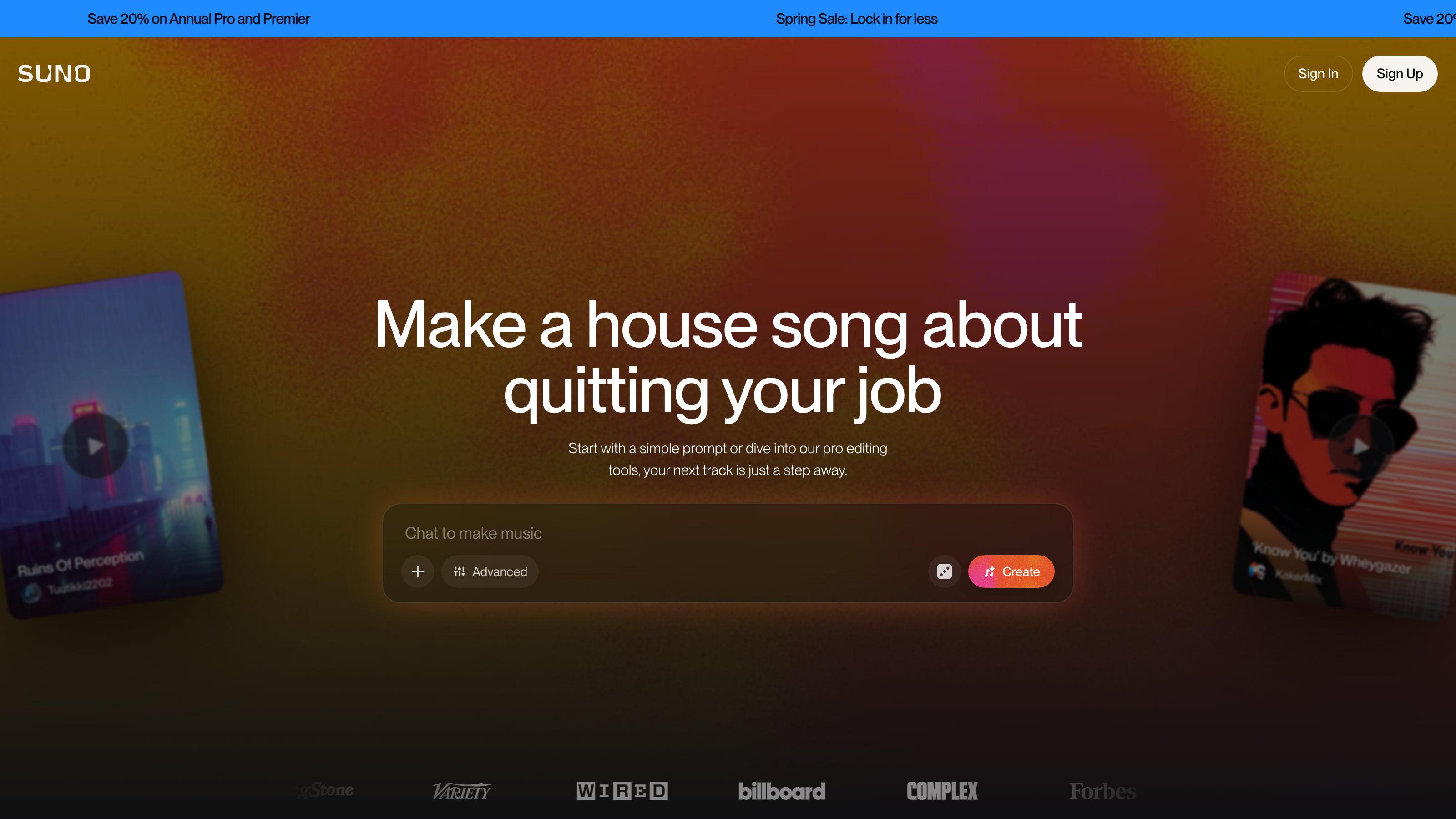
Suno Review: AI Music Generator Tested for Content Creators and Teams
TL;DR
This Suno review covers a cloud-based AI music platform that generates complete, original songs from a short text prompt - vocals, instrumentation, and full arrangement included. Suno runs on a freemium model: free access at $0/month, Pro at $8/month, and Premier at $24/month. It's a strong fit for content creators, podcasters, and marketing teams who need original, commercially licensable audio without paying per-track licensing fees or hiring a composer.
Suno Review: What Is This AI Music Generation Platform?
Suno is a cloud-based AI music generation platform built around a surprisingly simple idea: describe a song in plain language, and it hands you a finished track. Not a loop. Not a stem. An actual, complete song with vocal performance, genre-appropriate production, and a full arrangement from intro to outro.
The problem it solves is one a lot of creators know intimately. Commercial music licensing is expensive and legally complicated. Royalty-free libraries are so overused that certain tracks have become practically memes at this point - you've definitely heard the same upbeat corporate track in about forty different explainer videos. And commissioning original compositions takes time that most solo creators and small teams just don't have. Suno positions itself as a faster, more affordable alternative - specifically for paid-tier users, who get commercial use rights for everything they generate on those plans.
What separates Suno from earlier AI audio tools is how much a single generation actually covers. Earlier tools in this space tended to produce backing tracks or required users to have some music theory knowledge. Suno's models handle structure, vocal phrasing, dynamics, and genre conventions all at once. That's what makes it genuinely accessible to someone who has never touched a DAW in their life.
The platform runs in a browser and on mobile. Nothing to install. That's a real practical advantage for teams on locked-down work machines or creators who bounce between a laptop and a phone depending on where they're working.
Pricing and feature details in this Suno review were verified from the official Suno site in July 2026.
Key Features
AI Song Generation
The core function is AI music generation from a text prompt. Describe a genre, mood, topic, or style reference, and the model returns a full track with structure and vocals. Free-tier users get the v4.5-all model. Pro and Premier subscribers access the v5.5 model, which Suno describes as its "best and most personal." That model difference isn't cosmetic - free-tier output may not reflect what the platform actually produces at its best, which is worth keeping in mind if you've only tested it on the free plan.
Suno Studio (Generative Audio Workstation)
Suno Studio is a dedicated production environment available exclusively on the Premier plan. It functions as a generative audio workstation, giving users more granular control over output beyond the standard prompt-and-generate flow. Now here's the thing - this is the most significant feature gap between the $8/month Pro plan and the $24/month Premier plan, and it's not a minor one. Pro users who need production-level control have zero partial access to this tool. The only path is upgrading to Premier.
Stem Extraction
Stem extraction lets you isolate individual components of a generated track - separating vocals from instrumentation, for example. This is genuinely useful for creators who need a clean instrumental for video work, or who want to pull just one piece of a song rather than the full mix. It's a meaningful production feature, and honestly, a lot of comparable tools at this price point don't offer it.
Audio Upload and Recording
Suno supports audio upload and recording, which means you can bring external audio into the platform. This opens up the possibility of grounding a new AI-generated track in a recorded melody or reference audio, rather than starting purely from a text description. For musicians, that's a pretty big deal.
Custom AI Model Tuning
Paid users can access custom AI model tuning, which allows the platform to adapt its output toward your preferred style over time. This is different from just getting better at writing prompts - it's a personalization layer that builds with repeated use. For creators developing a consistent audio identity across multiple projects, that compounds in value the longer you use it.
Remix and Extend Songs
This feature lets you take an existing generated track and modify or lengthen it. AI-generated songs often need to be stretched or adjusted to fit a specific video duration, podcast intro slot, or ad format. Remix and Extend is how you get there without scrapping everything and starting over.
Co-write with Suno and Magic Song Descriptions
Co-write with Suno is an assisted songwriting mode where the platform helps you develop lyrics or song concepts interactively. Magic Song Descriptions generate prompt text automatically for users who aren't sure how to describe what they're after. Together, these features lower the barrier considerably for anyone who has never written a music prompt - or a lyric - in their life. If you've ever stared at a blank text box wondering what to type, these features are for you.
Advanced Editing Tools and Priority Generation Queue
Pro and Premier users get access to advanced editing tools and a priority generation queue. During high-traffic periods, that queue advantage isn't cosmetic - it actually translates to faster results when the platform is under load. Small detail, but it matters when you're on a deadline.
Suno Pricing: Plans and What Each Tier Includes
Suno uses a freemium model with three tiers.
Free Plan - $0/month You get 50 credits that renew daily. The free tier runs on the v4.5-all model. Critically, songs generated on the free plan carry no commercial use rights. They can't be used in monetized content, advertising, or any revenue-generating context. Full stop.
Pro Plan - $8/month Pro subscribers receive 2,500 credits per month, refreshing monthly rather than daily. This tier upgrades your access to the v5.5 model and grants commercial use rights for new songs made on the plan. For most professional content creators, that commercial rights threshold is the deciding factor.
Premier Plan - $24/month Premier includes 10,000 monthly credits, all Pro features, and exclusive access to Suno Studio. This is the only plan that includes the generative audio workstation. Add-on credit purchases are available for users who exceed their monthly allocation without wanting to upgrade.
One structural detail worth understanding: the free tier's daily renewal of 50 credits sounds like roughly 1,500 per month on paper (50 x 30 days), but unused credits expire each day. Pro users get a pooled 2,500 credits they can deploy flexibly across the month. For any real production workflow, that flexibility matters more than the raw numbers might suggest. Daily credits that disappear if you don't use them are a lot less useful than they look at first glance.
Who This Suno Review Recommends It For
Content Creators and Video Creators If you're producing YouTube videos, social content, or short-form clips, you've almost certainly run into the problem of finding background music that's both original and licensable. At $8/month, Suno's Pro plan delivers commercial use rights at a price that competes favorably with per-track licensing platforms or music subscription libraries.
Musicians and Songwriters Artists who want to prototype song ideas, test genre directions, or generate reference tracks for a session can move from concept to audio faster than ever. Stem extraction and the remix and extend features add real utility here - this isn't just about using finished tracks wholesale. It's about having a tool that fits into a larger creative process.
Podcasters Podcasters need custom intros, outros, and incidental music. Generating a distinctive, original theme track without hiring a composer - and actually owning the commercial rights to it - addresses a genuine budget constraint for independent producers. Trust me, paying a composer for a podcast that's still finding its audience is a tough sell.
Marketing Teams Teams producing video ads, social campaigns, or branded content need audio that's original and cleared for commercial use. The Premier plan, with 10,000 credits and Suno Studio access, gives marketing teams the volume and production control that higher-output workflows demand.
Game Developers Indie game developers often need original soundtracks at budgets that rule out custom composition. Suno's AI music generation, combined with stem extraction and custom model tuning, makes it feasible to generate and iterate on game audio without a dedicated audio team.
Not a Good Fit: Professional Audio Engineers and Music Producers Suno isn't built for producers who need precise control over mix elements, plugin chains, or export formats. It's not a DAW replacement - not even close. Producers who need stems in specific formats, custom time signatures, or complex arrangement control will hit its limits fast. Traditional DAWs and stem-based production platforms are the right tools for that work.
Alternatives to Consider
Udio is the most direct competitor in AI music generation. Like Suno, it generates full songs from text prompts with vocal output. Pricing and feature structures differ between the two, and it's worth comparing output quality on specific genres before committing to either paid plan - the best way to decide is to actually test both.
Musicfy focuses more on AI voice-to-song and stem-based generation, appealing to users who prefer to start from a recorded vocal or melody rather than a text prompt. It's a reasonable alternative for musicians who want a more input-driven workflow.
Soundraw takes a different approach entirely, offering a library of AI-generated music that users adjust by mood, tempo, and structure rather than generating from scratch. It suits users who prefer selecting and tweaking over open-ended generation.
Frequently Asked Questions
Does Suno's free plan allow commercial use?
No. The free plan at $0/month explicitly excludes commercial use rights. Songs made on the free tier can't be used in monetized videos, advertisements, client deliverables, or any revenue-generating context. Commercial use rights are only included with the Pro plan ($8/month) and Premier plan ($24/month).
What is the difference between the Pro and Premier plans?
Both plans access the v5.5 model and include commercial use rights. The main differences are credit volume (2,500 versus 10,000 per month) and access to Suno Studio, the generative audio workstation, which is exclusive to Premier. If production-level control is a priority, Premier is the relevant tier.
Can I use Suno without any music production knowledge?
Yes. Magic Song Descriptions, Co-write with Suno, and prompt-based generation are designed for users with no music theory background. The platform handles arrangement, genre, and vocal performance from text input alone.
What does stem extraction actually let me do?
Stem extraction separates a generated song into individual components - typically vocals and instrumentation. You can use just the instrumental version of a track, blend elements into another project, or isolate a vocal performance. It adds production flexibility beyond the full mixed output.
Is Suno available as a mobile app or only in a browser?
Suno is available on both web and mobile. It operates as a cloud-based service, so no software installation is required on either platform.
How does Suno compare to royalty-free music subscription libraries?
Suno generates original tracks on demand rather than offering a catalog of pre-made music. That means every song is unique to your project and not shared across other users' content. At $8/month for the Pro plan, the cost is comparable to many royalty-free subscription services - with the added advantage of fully original output and commercial use rights tied to your account.
Is Suno suitable for creating full game soundtracks?
Suno can support game audio workflows through AI music generation, stem extraction, and custom model tuning. Indie developers working with limited audio budgets can generate and iterate on original tracks without a dedicated composer. That said, users who need precise control over looping, adaptive audio layers, or specific export formats may find the platform's flexibility limited compared to dedicated game audio tools.
Suno Review: Final Verdict
This Suno review lands on a pretty straightforward conclusion: the platform is a credible option for content creators, musicians, songwriters, podcasters, and marketing teams who need original, licensable audio without the cost of traditional music production.
The free tier works for personal exploration and testing the waters, but the commercial rights restriction makes it unsuitable for any professional or monetized use case. The Pro plan at $8/month is the practical entry point for most working creators - it unlocks the v5.5 model and commercial use rights at a price that competes with royalty-free music subscription services.
The Premier plan at $24/month makes sense for higher-volume users and anyone who needs Suno Studio. The gap between Pro and Premier is real and worth taking seriously. One tier includes a generative audio workstation and four times the monthly credits. The other doesn't.
The main caveat holds throughout: Suno is an AI music generation tool, not a DAW replacement. Users who need precise technical control over audio production will hit its limits quickly. For everyone else, it's a well-structured, fairly priced platform that actually delivers on its core promise - original audio, fast, without requiring a studio or a music degree.
Pricing and feature details cited in this Suno review were verified from the official Suno website at suno.com in July 2026. Pricing may change after publication.
The facts.
Pulled from Suno’s own pages and dated so you can see how current each one is. Anything we could not confirm is left out rather than guessed.
- Free tier
- Yes checked Oct 2026
- Starting price / month
- $8/mo checked Oct 2026
- Cheapest paid tier
- $8/mo checked Oct 2026
- Pricing model
- Flat checked Oct 2026
- Platforms
- web, mobile checked Oct 2026
Suno pricing.
Pricing extracted from Suno's site. Confirm before buying.
Pros & cons.
We don’t publish star ratings we can’t defend. These come from running Suno on live briefs.
AI-generated analysis; edited and accountable: Tom Young. Data is verified from vendor sites on a dated schedule, not hands-on trials.
- Verified
- July 2026
- Pipeline
- 2026.07.04-1
- Checks run (6)
- author, editor, quality_review, seo, factcheck, humanize
- SEO score
- 90
- Evidence sources (1)
- suno.com