Quso AI
We may earn a commission if you sign up through our link · Affiliate disclosure
Facts verified:
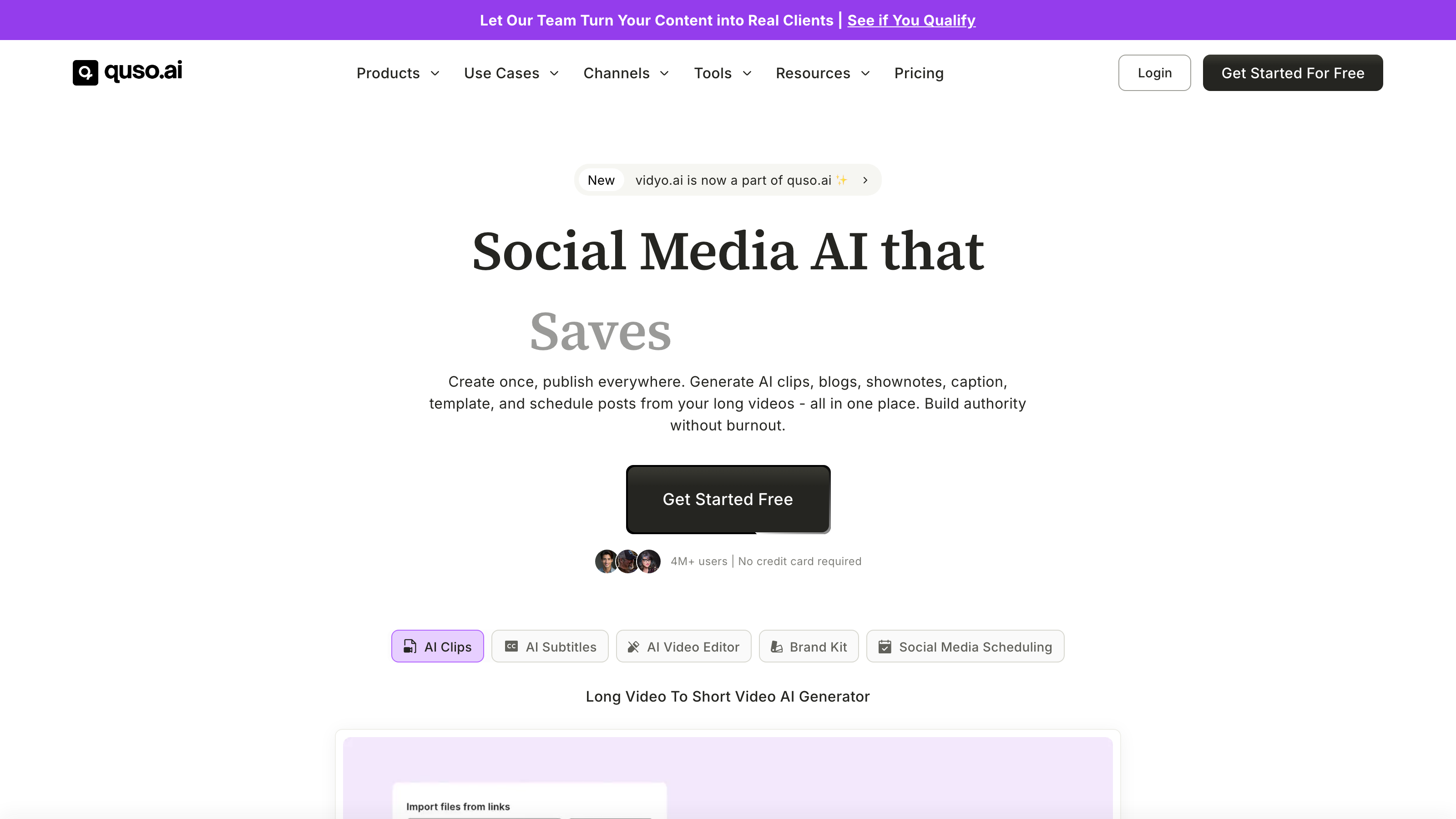
Quso AI Review: Is This All-in-One Video Platform Worth It?
TL;DR
This Quso AI review covers an AI-powered platform that automates video clipping, caption generation, scheduling, and content repurposing for creators and marketing teams. Quso AI targets anyone who needs to turn long-form video into short, platform-ready clips without hiring an editor, with paid plans starting at $29/month as of July 2026. The tool suits content creators, podcasters, and marketing teams who publish across multiple social channels regularly and want clipping, captioning, scheduling, and analytics handled inside a single platform.
Overview
Quso AI (found at quso.ai) is an all-in-one platform built around one core problem: producing social-ready short video content at scale is slow, expensive, and repetitive. Most video creators and marketing teams spend hours clipping, captioning, reframing, and scheduling content manually. Quso AI aims to collapse that workflow into a single AI workspace.
The platform covers the full content lifecycle. It clips long videos automatically, generates subtitles, removes filler words, reframes footage for vertical formats, and publishes content to multiple social platforms on a schedule. It also includes an AI Content Planner and analytics tools, making it one of the more complete options in the AI video repurposing category.
Quso AI sits under the broader category of AI Apps for Text, AI Apps for Videos, and AI Apps for Images. It operates on both web and desktop, which gives users flexibility across different working environments. The freemium model means anyone can start without a credit card, though the free tier comes with meaningful restrictions explored below.
Pricing and feature details in this review were verified from the official site in July 2026.
Key Features
IntelliClips - AI Clips Generator
IntelliClips is Quso AI's core clipping engine. It scans long-form video - interviews, webinars, podcasts, YouTube uploads - and identifies segments worth turning into short clips. The AI looks for highlights based on content signals rather than requiring the user to set manual in and out points. This is the primary tool for Video Clipping workflows and for anyone repurposing content for TikTok, Reels, or YouTube Shorts.
CutMagic - Auto-Reframing
CutMagic handles the reframing problem that plagues horizontal video. When you move content from a 16:9 format to a 9:16 vertical format for mobile, faces and subjects can fall out of frame. CutMagic uses AI-Powered Editing to track the subject and adjust the crop automatically. This removes a tedious manual step from the post-production process, specifically the frame-by-frame repositioning that would otherwise require a dedicated editor.
AI Subtitle Generator
Quso AI includes a built-in Subtitle Generation tool that creates captions automatically from spoken audio. This matters for two concrete reasons. First, a large portion of social video is watched with sound off, meaning uncaptioned clips lose viewers immediately. Second, captions improve accessibility and search indexing. The platform also lists Multilingual Support as a feature, which is relevant for marketing teams and educators reaching audiences across different languages.
AI Filler Word Removal
Available from the Essential tier ($39/month) upward, this tool automatically detects and removes filler words - um, uh, you know - from the audio and adjusts the video edit accordingly. For a 45-minute unscripted podcast or interview, manual filler removal can take an hour or more. This Automation and Workflow feature addresses that specific bottleneck, particularly for content like interviews or webinars used in AI-Generated Training Materials or Business Presentations.
Social Media Scheduler and Analytics
Quso AI includes a built-in Social Media Scheduler that publishes and schedules content to up to six platforms, available from the Lite tier ($29/month) upward. Paired with this is an Analytics and Insights module that tracks content performance. Having scheduling and analytics in the same tool where you create content removes the need to export files into a separate scheduling app, which reduces handoff errors and keeps all performance data in one place. This is a genuine advantage for marketing teams running Organic Marketing or Paid Social Media Marketing campaigns.
Brand Kit and Viddy AI Content Assistant
The Growth tier ($49/month) adds a Custom Brand Kit and templates for visual consistency across Brand Consistency and Style workflows. Viddy AI is Quso AI's content assistant, described as helping with content ideation and planning. For teams managing Corporate Communications or working on Business Presentations, these tools reduce the time spent on visual formatting and content strategy as separate tasks.
AI B-Roll Library and Text-Based Video Editor
The platform includes an AI B-Roll Library for inserting supplementary footage and an AI Text Based Video Editor that lets users edit video by editing a transcript. Deleting words in the transcript removes that segment from the video. Both features contribute to the Generative AI layer of the product and are useful for Collaboration and Sharing workflows where non-editors need to make quick cuts without learning traditional timeline-based editing software.
Quso AI: Pricing
Quso AI uses a freemium model with four published tiers.
Free - $0/month The free plan gives users 75 credits per month, 720p render quality, and access to Chapters and short video creation. This is enough to explore the core concept but is limited by credit caps and lower output resolution.
Lite - $29/month Lite removes the credit cap and upgrades render quality to 1080p. It also unlocks the advanced video editor on desktop and adds publishing and scheduling to up to six platforms. This is the first tier that makes the tool practically useful for regular publishing.
Essential - $39/month Essential includes everything in Lite plus AI Filler Word Removal and support for external content (content not hosted on Quso AI's platform). The filler removal feature alone is a meaningful time-saver for unscripted video workflows.
Growth - $49/month Growth adds the Custom Brand Kit and templates alongside the Viddy AI Content Assistant. This tier is aimed at teams or individual creators who need visual consistency and AI-assisted content planning built into their production process.
The free tier's 75-credit cap and 720p render limit are significant constraints. The tool's more practical capabilities start at $29/month, and the most complete individual-user feature set requires $39/month.
Who It's Best For
Content Creators and Video Creators Creators who record long-form YouTube videos, livestreams, or podcast video and want short clips for Instagram, TikTok, and YouTube Shorts without editing manually will find real value here. IntelliClips and CutMagic together handle most of the mechanical work. The Lite or Essential plan covers most individual creator needs.
Podcasters Podcasters with video recordings can use Quso AI to extract highlight clips, add subtitles, and publish to multiple platforms on a schedule. The AI Filler Word Removal on the Essential tier ($39/month) is particularly useful for unscripted podcast content where removing verbal tics manually would otherwise take significant time.
Marketing Teams Teams running Paid Social Media Marketing or Paid Advertising campaigns benefit from the combination of AI clipping, scheduling, Analytics and Insights, and the Brand Kit. Having one platform cover production and publishing reduces handoff friction between editors and social managers.
Educators and Training Producers The Multilingual Support and Subtitle Generation features make Quso AI relevant for teams producing AI-Generated Training Materials or educational content. Auto-captioning and multi-language support reduce the time required to make content accessible without hiring translators for subtitle work.
Agencies Agencies managing content for multiple clients could use the Brand Kit and scheduling tools to keep visual output consistent and production timelines tight. The Growth tier's ($49/month) Viddy AI Content Assistant adds a planning layer that is useful when managing many active client accounts simultaneously.
Not the Right Fit: Occasional editors who need basic trimming only If you only need to trim clips, add simple captions, and export a few times per month - without scheduling, analytics, or multi-platform publishing - Quso AI's entry price of $29/month for meaningful functionality may not justify the cost. Tools like CapCut (free, with extensive manual editing features) or DaVinci Resolve (free, professional-grade timeline editor) serve basic editing needs at no cost. Quso AI's value is in Automation and Workflow at scale, not in hands-on creative editing for low-volume output.
Alternatives
Opus Clip Opus Clip is a direct competitor focused on AI-powered long-to-short video clipping. It targets similar users - podcasters, marketers, and content creators - and includes a free tier. Opus Clip is worth considering if your primary need is AI clipping without scheduling and analytics bundled in.
Descript Descript offers text-based video editing, transcription, filler word removal, and podcast tools. It is stronger on the editing side and has an established reputation with podcasters. However, it has less emphasis on multi-platform social scheduling and does not include the same auto-clipping focus as Quso AI.
Kapwing Kapwing is a browser-based video editor with AI tools including subtitle generation and clip trimming. It suits lighter editing needs and collaborative teams. It lacks the depth of IntelliClips or the built-in social scheduler found in Quso AI's paid tiers.
FAQ
Is Quso AI free to use? Yes, Quso AI offers a free plan at $0/month. It includes 75 credits per month and 720p render quality, with access to Chapters and short video creation. The free plan is enough to test the platform's core concept, but meaningful publishing workflows require the Lite plan at $29/month or higher.
What platforms does Quso AI publish to? Quso AI's Lite tier ($29/month) and above supports publishing and scheduling to up to six social media platforms. The specific platforms are not enumerated in the verified product data, but the tool's use cases reference TikTok, YouTube, and Instagram prominently in its positioning.
Does Quso AI support multiple languages? Yes, Quso AI lists Multilingual Support as a core feature. This applies primarily to the AI Subtitle Generator, making the tool relevant for teams producing content for international audiences or creating AI-Generated Training Materials in more than one language.
What is the difference between the Essential and Growth plans? The Essential plan ($39/month) adds AI Filler Word Removal and External content support to everything in Lite. The Growth plan ($49/month) adds a Custom Brand Kit, templates, and the Viddy AI Content Assistant on top of that. Growth is aimed at teams needing visual brand consistency and content planning features, while Essential suits individual creators focused on editing efficiency.
Is Quso AI suitable for marketing teams running paid campaigns? It can be, particularly for teams focused on Paid Social Media Marketing and Paid Advertising who need to produce short-form video ads at volume. The AI clipping, captioning, scheduling, and Analytics and Insights tools are relevant to that workflow. However, teams needing deep ad creative testing or media buying integration would likely need to pair it with dedicated ad platform tools, as Quso AI does not cover those functions.
Quso AI: Final Verdict
This Quso AI review finds a well-structured platform for creators and marketing teams who publish video content across social channels at volume. The combination of IntelliClips, CutMagic, AI Subtitle Generator, and the Social Media Scheduler in one tool addresses a real production bottleneck: the manual, repetitive work between recording a long video and publishing multiple short clips across platforms.
The ideal buyer is a content creator, podcaster, or small marketing team publishing three or more pieces of short-form video per week who wants to automate the clipping and captioning process without paying for separate tools for each step. The Essential plan at $39/month offers the most complete feature set for most individual users, since it adds AI Filler Word Removal that the $29/month Lite plan omits. The Growth plan at $49/month makes sense for teams that need brand consistency tools and content planning support.
The main caveat: if your video output is occasional rather than regular, the cost-to-value ratio weakens quickly. The free tier's 75-credit cap limits serious evaluation, and the $29/month entry point for real functionality is a real financial commitment for low-volume publishers. Sporadic publishers or those who only need basic trimming and export would be better served by free alternatives like CapCut or DaVinci Resolve.
For high-volume publishers, however, the Automation and Workflow depth across this Quso AI review's verified feature set makes it a credible investment worth comparing against your current per-tool subscription costs.
The facts.
Pulled from Quso AI’s own pages and dated so you can see how current each one is. Anything we could not confirm is left out rather than guessed.
- Free tier
- Yes checked Oct 2026
- Starting price / month
- $29/mo checked Oct 2026
- Cheapest paid tier
- $29/mo checked Oct 2026
- Pricing model
- Flat checked Oct 2026
- Platforms
- web, desktop checked Oct 2026
Quso AI pricing.
Pricing extracted from Quso AI's site. Confirm before buying.
Pros & cons.
We don’t publish star ratings we can’t defend. These come from running Quso AI on live briefs.