
Fliki
We may earn a commission if you sign up through our link · Affiliate disclosure
Facts verified:
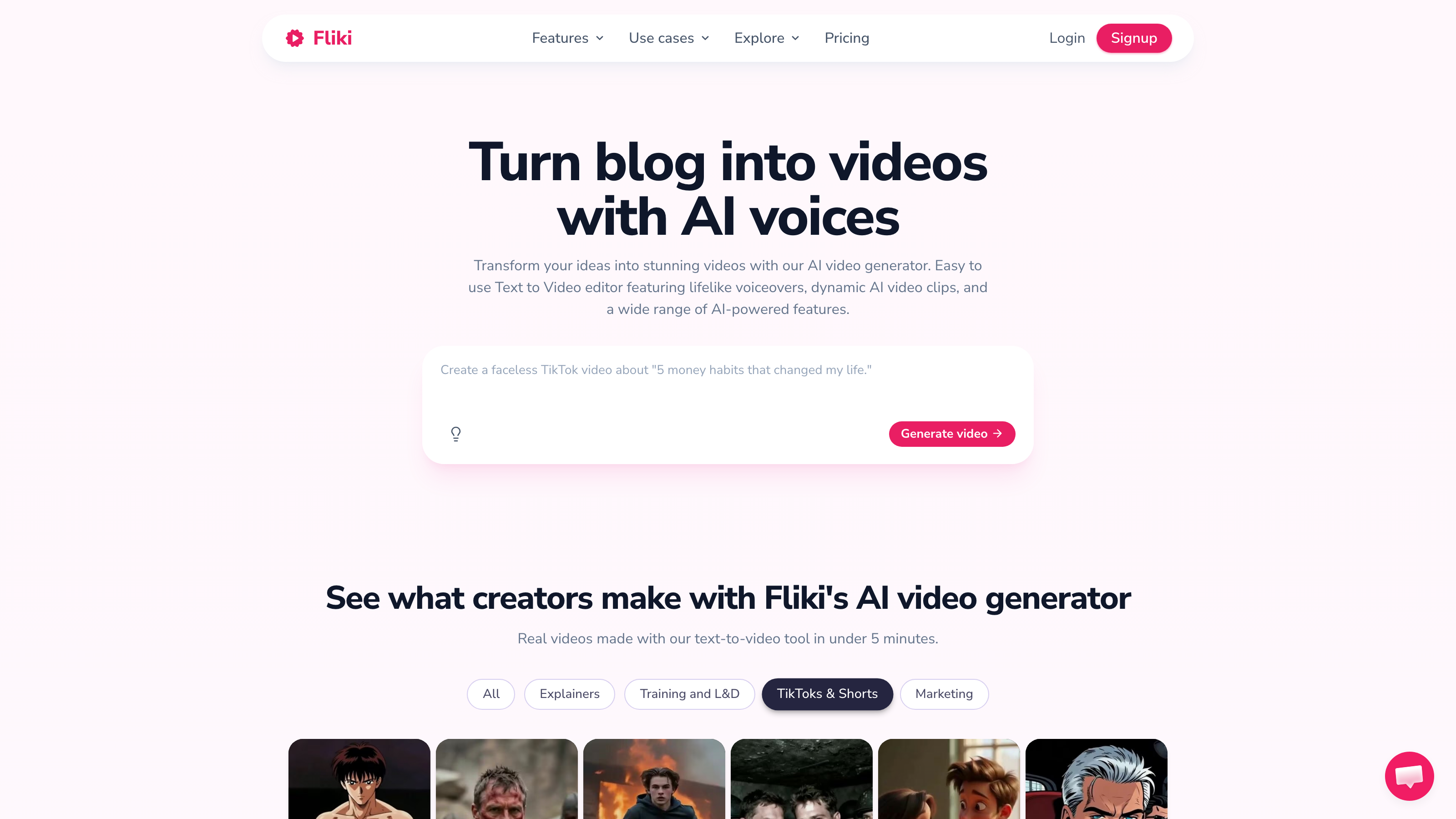
Fliki Review: Is This AI Video Tool Worth It for Creators and Marketers?
TL;DR
This Fliki review covers a web-based AI video creation platform that turns text, scripts, blog posts, and presentations into publish-ready videos. Fliki is built for content creators, marketing teams, and educators who need to produce video at scale without hiring actors or editors. Plans start free at $0/month, with paid tiers starting at $21/month billed annually, unlocking higher output limits and more realistic voices. Pricing and feature details were verified from the official Fliki site in July 2026.
Overview
Fliki is a cloud-based AI creative suite focused on turning written content into video and audio assets. The core problem it solves is a familiar one: video production is slow, expensive, and technically demanding. Fliki replaces most of that friction with an AI pipeline where you supply the words and the tool handles visuals, voiceovers, captions, and timing.
The platform sits in a growing category of AI video and text tools that also includes InVideo AI. What separates Fliki from simple text-to-video generators is the breadth of its feature set. Voice Cloning, AI Avatar, AI Video Translator and Dubbing, and one-click social publishing all live inside the same dashboard. That range makes it a credible option for teams and solo creators who want to manage their entire content workflow in one place rather than paying for several separate tools.
Fliki is web-only, meaning it runs entirely in the browser with no desktop app to install. Content types span short-form social clips, full YouTube videos up to 40 minutes on the top tier, e-commerce product videos, corporate training materials, and paid ad creatives. The platform supports publishing directly to YouTube, TikTok, Facebook, LinkedIn, Amazon, and other channels.
Pricing and feature details in this review were verified from the official site in July 2026.
Key Features
Text to Video Generation
Fliki's Text-to-Video Generation engine converts a prompt, script, blog post, or uploaded PowerPoint into a structured video. The tool selects stock footage or AI-generated visuals, syncs them to a voiceover, and adds captions automatically. You can adjust the pacing, voice style, and visual mood after the initial generation. This is the feature most users come for, and it covers the full production pipeline from blank page to final export.
AI Voice Generation and Voice Cloning
Fliki includes over 2,000 voices covering 80+ languages and a wide range of dialects. The Standard plan unlocks 1,000 voices with 500 labeled as ultra-realistic. The Premium plan expands that to 2,000+ voices including multilingual expressive options. Voice Cloning lets users replicate their own voice so that generated narration sounds consistent across a channel or brand. This matters most for multilingual use cases where a creator wants their recognizable voice speaking in languages they do not personally speak.
AI Avatar and Digital Twin
The AI Avatar feature generates an on-screen presenter from a library of digital characters. The Digital Twin feature goes a step further, creating a personalized avatar based on the user. Both features let creators publish talking-head style videos without appearing on camera - a practical need for faceless YouTube channels, corporate explainers, and training materials.
Blog to Video and PPT to Video
These two conversion tools target content marketers and educators who already have written assets. A blog URL or a PowerPoint file goes in; a structured video comes out. The tool parses existing content structure and maps it to video segments, which reduces the scripting workload significantly.
AI Video Translator and Dubbing
This feature re-voices existing videos into other languages, combining translation with audio replacement. For multilingual production at scale, a single video asset can be localized for multiple markets without reshooting or re-recording. It directly supports e-commerce, paid social, and global education use cases.
AI Reel Maker and Thumbnail Creator
The AI Reel Maker automates short-form vertical video production for platforms like TikTok and Instagram Reels. The Thumbnail Creator generates platform-optimized cover images. Both tools support high-volume content production without requiring manual editing for each individual asset.
Brand Kits and One-Click Social Publishing
Brand Kits let teams store logos, color palettes, and font preferences so that every video output matches brand standards automatically. One-Click Social Publishing pushes finished content directly to connected platforms including YouTube, TikTok, Facebook Ads, LinkedIn, and Amazon Listings. This closes the loop from creation to distribution inside one tool.
Screen Recording
A built-in Screen Recording feature lets users capture their screen and incorporate that footage into AI-generated videos. This is useful for software tutorials, product demos, and corporate training content where showing a live interface matters.
Fliki: Pricing
Fliki uses a freemium subscription model. All tiers are billed monthly or at a lower effective rate when paid annually.
Free - $0/month The free tier provides 3 credits per month. Users get access to 300 voices across 80+ languages and can create videos from ideas, scripts, blog posts, or PPTs. This tier is useful for testing the tool before committing to a paid plan, but 3 credits per month is a very tight limit for regular production use. Commercial Rights are not listed as included on the free tier, which is a meaningful restriction for professional users.
Standard - $28/month (or $21/month billed annually) The Standard plan provides 2,160 credits per year, access to 1,000 voices including 500 ultra-realistic ones, and Full HD 1080p video output. This tier covers the needs of a solo creator or small marketing team producing consistent content.
Premium - $88/month (or $66/month billed annually) The Premium plan provides 7,200 credits per year, 2,000+ voices including 1,000+ ultra-realistic and multilingual expressive voices, and support for videos up to 40 minutes in length. This tier targets agencies, high-volume creators, and teams with multilingual production needs.
Who It's Best For
Content Creators running faceless channels Text-to-Video Generation and AI Avatar features cover the full production stack for YouTube or TikTok creators who do not want to appear on camera. The platform supports videos up to 40 minutes on the Premium plan, which is long enough for most long-form YouTube formats.
Marketing Teams managing multi-platform campaigns One-Click Social Publishing to YouTube, TikTok, Facebook Ads, LinkedIn, and Amazon Listings removes a significant manual step. Brand Kits enforce visual consistency across outputs. The AI Reel Maker generates short-form variants without rebuilding each asset from scratch. This workflow fits teams producing both organic social and paid advertising content simultaneously.
Educators and Corporate Communications teams Blog to Video, PPT to Video, and Screen Recording together cover most of what an educator or learning-and-development professional needs to convert existing materials into video. The multilingual dubbing feature extends reach to international learners without additional production cost.
E-Commerce sellers and agencies Amazon is listed as a direct publishing destination, which is a specific signal that Fliki has invested in e-commerce video formats. Agencies benefit from the volume of credits on the Premium plan and the Brand Kits feature for managing multiple client accounts.
Who should look elsewhere Creators who need fine-grained manual video editing control - cutting individual frames, custom motion graphics, or layered compositing - will find Fliki limiting. It is built for automated, templated production rather than bespoke post-production. Tools like Adobe Premiere Pro or DaVinci Resolve serve that need far better. Similarly, users who only need a standalone high-quality text-to-speech tool without video features may find Fliki's credit system less cost-effective than a dedicated text-to-speech service.
Alternatives
InVideo AI InVideo AI (invideo.ai) is a direct competitor in the AI video generation space. Like Fliki, InVideo supports text-to-video creation and targets content creators and marketing teams. InVideo has historically focused more on template-based video editing with AI assistance, whereas Fliki leans harder into voice and audio features like Voice Cloning and multilingual dubbing. Teams that prioritize template variety may prefer InVideo; teams that prioritize voice realism and multilingual output may prefer Fliki.
Synthesia Synthesia is a well-known AI Avatar and AI video platform aimed at corporate communications and training teams. It offers a polished avatar library and enterprise-grade features but is priced significantly higher than Fliki and targets larger organizations. Fliki offers more content-creation flexibility and lower entry pricing.
HeyGen HeyGen competes directly on AI Avatar and video translation features. It is used heavily in e-commerce and marketing for personalized video. Fliki covers similar ground but adds a broader content creation toolset including Blog to Video, AI Reel Maker, and Screen Recording that HeyGen does not emphasize.
FAQ
Does Fliki include commercial rights on paid plans? Commercial Rights are listed as a feature on Fliki's paid plans. This means videos produced on Standard or Premium plans can be used in commercial projects including paid advertising, product listings, and client deliverables. The free tier does not list Commercial Rights as an included feature, so free-tier users should check the terms before publishing commercially.
How does the credit system work? Fliki measures usage in credits rather than minutes or videos. The Free plan provides 3 credits per month. The Standard plan provides 2,160 credits per year, and the Premium plan provides 7,200 credits per year. The exact credit cost for each action type - video generation, dubbing, voice cloning, and others - is not detailed in the publicly verified pricing page, so it is worth checking the in-app credit guide before committing to heavy production use.
Can Fliki create videos in languages other than English? Yes. Fliki supports 80+ languages and includes AI Video Translator and Dubbing to re-voice existing videos into other languages. The Premium plan adds multilingual expressive voices, which go beyond basic translation to deliver more natural-sounding localized narration. This is one of Fliki's stronger differentiators compared with simpler text-to-video tools.
Is Fliki suitable for long-form YouTube videos? The Premium plan supports videos up to 40 minutes in length, which covers most YouTube formats including tutorials, reviews, and explainers. The Standard plan does not list a specific video length cap in the verified data, so users targeting long-form content should confirm limits before choosing a plan. The free tier is unlikely to support long-form output given its 3-credit monthly limit.
Does Fliki work on desktop or mobile apps? Fliki is a web-based platform only. There is no dedicated desktop application for Windows or Mac, and no mobile app is listed in the verified product data. All creation and editing happens inside the browser, which requires a stable internet connection.
Fliki: Final Verdict
This Fliki review finds a platform that punches above its price point in terms of feature breadth. Text to Video, Voice Cloning, AI Avatar, Digital Twin, AI Video Translator and Dubbing, Screen Recording, and direct social publishing in one tool is a genuinely strong combination for content creators, marketing teams, and educators who want to reduce production time without sacrificing consistency. These assessments are based on verified vendor data from the official Fliki site as of July 2026, not hands-on testing.
The main caveats are the opacity around per-feature credit costs and the free tier's very tight 3-credit limit, which makes it hard to stress-test the platform before upgrading. The web-only architecture is also a real constraint for anyone working in low-connectivity conditions.
The ideal buyer is a solo creator or small marketing team producing regular video content across multiple channels and languages, who wants a single workspace to handle the full creation-to-publishing workflow. At $21/month billed annually for the Standard plan or $66/month billed annually for the Premium plan, Fliki is competitively priced against paying separately for a standalone voice tool plus a separate video tool. Users who need precision manual editing or enterprise-grade security controls will want to look elsewhere.
The facts.
Pulled from Fliki’s own pages and dated so you can see how current each one is. Anything we could not confirm is left out rather than guessed.
- Free tier
- Yes checked Oct 2026
- Starting price / month
- $28/mo checked Oct 2026
- Cheapest paid tier
- $28/mo checked Oct 2026
- Pricing model
- Flat checked Oct 2026
- Platforms
- web checked Oct 2026
Fliki pricing.
Pricing extracted from Fliki's site. Confirm before buying.
Pros & cons.
We don’t publish star ratings we can’t defend. These come from running Fliki on live briefs.