
Vidnoz
Facts verified:
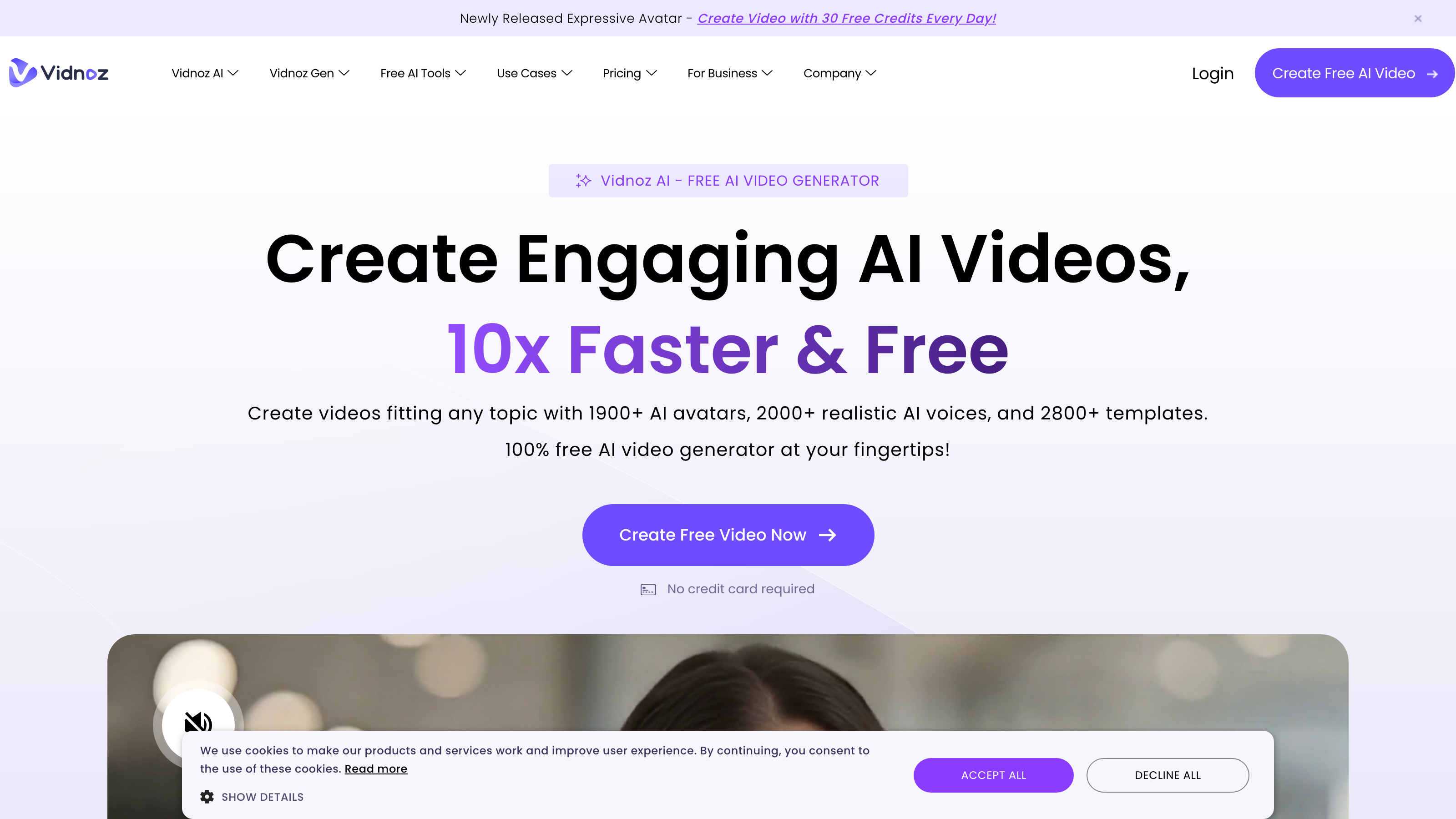
Vidnoz Review: A Deep Dive into This All-in-One AI Video Creation Platform
TL;DR
This Vidnoz review covers a web-based platform that bundles AI avatars, voice generation, video templates, and translation tools into a single freemium workspace. Vidnoz AI targets marketing teams, educators, and content creators who need to produce polished video assets quickly and at scale, with built-in localization tools that competing platforms typically sell as add-ons. If you need to cut production time and publish content across multiple languages without re-recording sessions, Vidnoz AI is worth evaluating during its free tier before committing to a paid plan.
Overview
Vidnoz AI is a browser-based platform that combines a wide range of AI-powered video and audio tools into one interface. It addresses a common pain point for teams and solo creators: producing professional-looking video content is time-consuming, expensive, and technically demanding. Traditional workflows require separate tools for scripting, recording, editing, voiceover, and translation. Vidnoz consolidates these steps.
The platform sits in the growing category of AI Apps for Videos and AI Apps for Audio, offering everything from AI Avatars and AI Voices to a full AI Video Editor and AI Text to Video generation. Rather than targeting high-end cinematic production, Vidnoz aims squarely at practical business use cases - think sales explainers, onboarding videos, social clips, and training modules.
The platform operates on a freemium model, meaning you can start using core features at no cost before committing to a paid tier. Daily Free Credits give new users a way to test generation quality without a credit card.
Pricing and feature details in this review were verified from the official site in July 2026.
Key Features
AI Avatars and AI Expressive Avatar
Vidnoz offers a library of AI Avatars - digital presenters that lip-sync to generated voiceovers or uploaded audio. The AI Expressive Avatar feature adds emotional range to avatar delivery, so the presenter can appear engaged, enthusiastic, or neutral depending on the content. This distinction matters for corporate communications and educational videos, where a flat, robotic delivery reduces audience trust and engagement.
AI Talking Photo
This feature animates a still photo to speak a script. Upload a headshot - yours or a stock image - and the platform generates a short video of that image talking. It is a practical shortcut for teams that want a human face in their content without booking on-camera talent.
AI Text to Video
The AI Text to Video tool converts a written prompt or script into a video, pulling in relevant visuals, on-screen text, and a voiceover. This covers the full journey from blank page to playable asset, which matters for high-volume content operations where speed is a hard constraint.
AI Video Translator and AI Voice Clone
The AI Video Translator handles dubbing - it takes an existing video, replaces the spoken audio with a translated version, and syncs the new voiceover to the original pacing. Paired with AI Voice Clone, which replicates a specific speaker's voice characteristics, this gives teams a localization workflow that avoids re-recording sessions entirely. For organizations publishing content across multiple markets, this combination addresses a real cost and logistics problem that typically requires hiring separate voice talent per language.
AI Script Generator and AI Video Wizard
The AI Script Generator produces a structured script from a brief or topic input. The AI Video Wizard then takes that script and assembles a full video using templates, scenes, voiceover, and optionally an avatar. Together, these two features create a near-automated pipeline from idea to finished video.
AI Video Enhancer and AI Background Remover
On the post-production side, the AI Video Enhancer sharpens footage quality, while the AI Background Remover isolates subjects from their surroundings. These utilities reduce dependency on third-party editing software for teams handling basic cleanup tasks.
Additional Tools
Vidnoz also includes AI Text to Speech, AI Headshot Generator, AI Voice Changer, AI Vocal Remover, Online Screen Recorder, Video Hosting and Sharing, Image to Video, AI Dance Photo, AI Cartoon Generator, and Custom AI Avatar creation. The breadth here is notable - this is not a narrow single-use tool. It is positioned as a general-purpose content production hub for teams and individuals who work across formats.
Vidnoz: Pricing
Vidnoz operates on a freemium model. A free tier is available and includes Daily Free Credits, which reset periodically and allow users to generate content without paying. This structure lets potential buyers evaluate output quality before purchasing.
Specific paid tier pricing is not publicly listed in verified data available for this review. Pricing not publicly listed on the homepage in a format confirmed by this review's verification. Buyers should check the official Vidnoz site at vidnoz.com for current tier pricing, credit bundles, and any limits that apply to free versus paid accounts - particularly around watermarking, export resolution, and monthly generation caps, which commonly differ between tiers on platforms of this type.
Who It's Best For
Marketing Teams Teams running campaigns across multiple channels - paid social, email, organic video - can use Vidnoz to produce a high volume of short-form assets without a dedicated video production budget. The AI Video Wizard and template library speed up the script-to-publish cycle, while the AI Video Translator supports multi-market campaigns from a single source video.
Educators and Corporate Trainers For anyone building AI-Generated Learning Content or AI-Generated Training Materials, Vidnoz offers a practical path to producing modules at scale. AI Avatars serve as on-screen instructors, and AI Voices handle narration without requiring a studio setup. The AI Script Generator helps structure lessons from topic outlines.
Content Creators and Influencers Solo creators who need to publish frequently across platforms benefit from tools like AI Talking Photo, AI Dance Photo, and AI Cartoon Generator - features that add variety to a content calendar without adding production complexity.
Startups and Small Businesses Organizations with limited budgets but real content needs fit the freemium model well. The Daily Free Credits let a lean team produce product explainers, customer education clips, and onboarding videos without a large upfront commitment.
Agencies Agencies producing Automated Marketing Collateral for multiple clients can use the Custom AI Avatar feature to maintain brand-specific presenters, and the Video Hosting and Sharing tools to deliver assets directly.
Not the Right Fit Vidnoz is a poor match for filmmakers or video professionals who need frame-level editing precision, color grading control, or integration with professional production pipelines like Adobe Premiere or DaVinci Resolve. If your work demands cinematic quality, manual scene composition, or deep audio post-production, Vidnoz's automated approach will feel limiting. Those users should look at professional NLEs (non-linear editors - software that lets you cut and arrange footage manually with full control) with dedicated AI plugins rather than an all-in-one generative platform.
Alternatives
Synthesia Synthesia is a direct competitor in the AI avatar video space. It focuses on presenter-led videos with a polished avatar library and strong enterprise controls. It does not offer the breadth of audio tools that Vidnoz provides, but its avatar quality and enterprise-grade access management are well-regarded among larger teams.
HeyGen HeyGen also centers on AI avatars and video translation. It is frequently compared to Vidnoz in the AI video category and offers similar talking avatar and dubbing capabilities. Pricing and output quality comparisons between the two are worth testing directly, as both update their generation models regularly.
ElevenLabs For teams whose primary need is high-quality AI Voice Generation and Voice Cloning rather than full video production, ElevenLabs is a focused alternative. It does not produce videos, but its voice output quality is widely cited as a benchmark in the voice AI category.
FAQ
Is Vidnoz free to use? Yes, Vidnoz operates on a freemium model and offers Daily Free Credits that reset periodically. This allows users to generate video and audio content without paying. The specific limits of the free tier - including whether outputs are watermarked or capped by resolution - should be confirmed directly on the platform before relying on it for client-facing or published work.
What types of videos can Vidnoz produce? Vidnoz supports a broad range of formats including AI avatar-led presenter videos, AI Text to Video generation, Image to Video, AI Talking Photo clips, and screen recordings. It also supports AI Cartoon Generator and AI Dance Photo outputs, making it flexible across both business and creative content needs.
Does Vidnoz support multiple languages? Based on its AI Video Translator and AI Voices features, Vidnoz is built to support multi-language video production and dubbing. The exact list of supported languages is not confirmed in verified data for this review, so buyers with specific locale requirements should test their target languages during the free tier evaluation.
Can I create a custom avatar of myself? Yes, the Custom AI Avatar feature is listed as a core capability. This allows users to build a digital presenter based on their own likeness, which is useful for maintaining brand consistency across video content without repeated on-camera recording.
Is Vidnoz suitable for large marketing teams? Vidnoz's feature set - including Video Hosting and Sharing, Custom AI Avatar, AI Video Translator, and AI Script Generator - maps well to marketing team workflows. However, buyers should verify whether the platform offers team collaboration features, user seat management, and brand asset controls before committing at a team scale.
Vidnoz: Final Verdict
This Vidnoz review finds a platform with genuine utility for teams and creators who need to produce video content faster and across more formats than traditional tools allow. The combination of AI Avatars, AI Voice Clone, AI Video Translator, and AI Text to Video in a single freemium web app is a practical value proposition - particularly for marketing teams, educators, and startups running lean. The built-in localization tools are a meaningful differentiator from competitors that charge separately for dubbing and translation features.
The main caveat is pricing transparency. Without clear public data on what paid tiers include and where free tier limits fall, buyers cannot fully assess cost before committing. The right approach is to use the Daily Free Credits to test the specific features you rely on most - avatar quality, voice realism, translation accuracy - and then evaluate whether the paid tier pricing, once confirmed on the site, justifies the upgrade.
Vidnoz is best suited to teams and individuals who need a broad, fast, and accessible video production toolkit. It is a weaker fit for anyone whose work demands the professional-grade precision that purpose-built or specialist tools provide.
The facts.
Pulled from Vidnoz’s own pages and dated so you can see how current each one is. Anything we could not confirm is left out rather than guessed.
- Platforms
- web checked Oct 2026
Pros & cons.
We don’t publish star ratings we can’t defend. These come from running Vidnoz on live briefs.
AI-generated analysis; edited and accountable: Tom Young. Data is verified from vendor sites on a dated schedule, not hands-on trials.
- Verified
- July 2026
- Pipeline
- 2026.07.04-1
- Checks run (2)
- author, quality_review
- SEO score
- 63
- Evidence sources (1)
- vidnoz.com