
RenderLion
We may earn a commission if you sign up through our link · Affiliate disclosure
Facts verified:
RenderLion Review: AI Video Generation for Marketers and Creators Who Need Speed
TL;DR
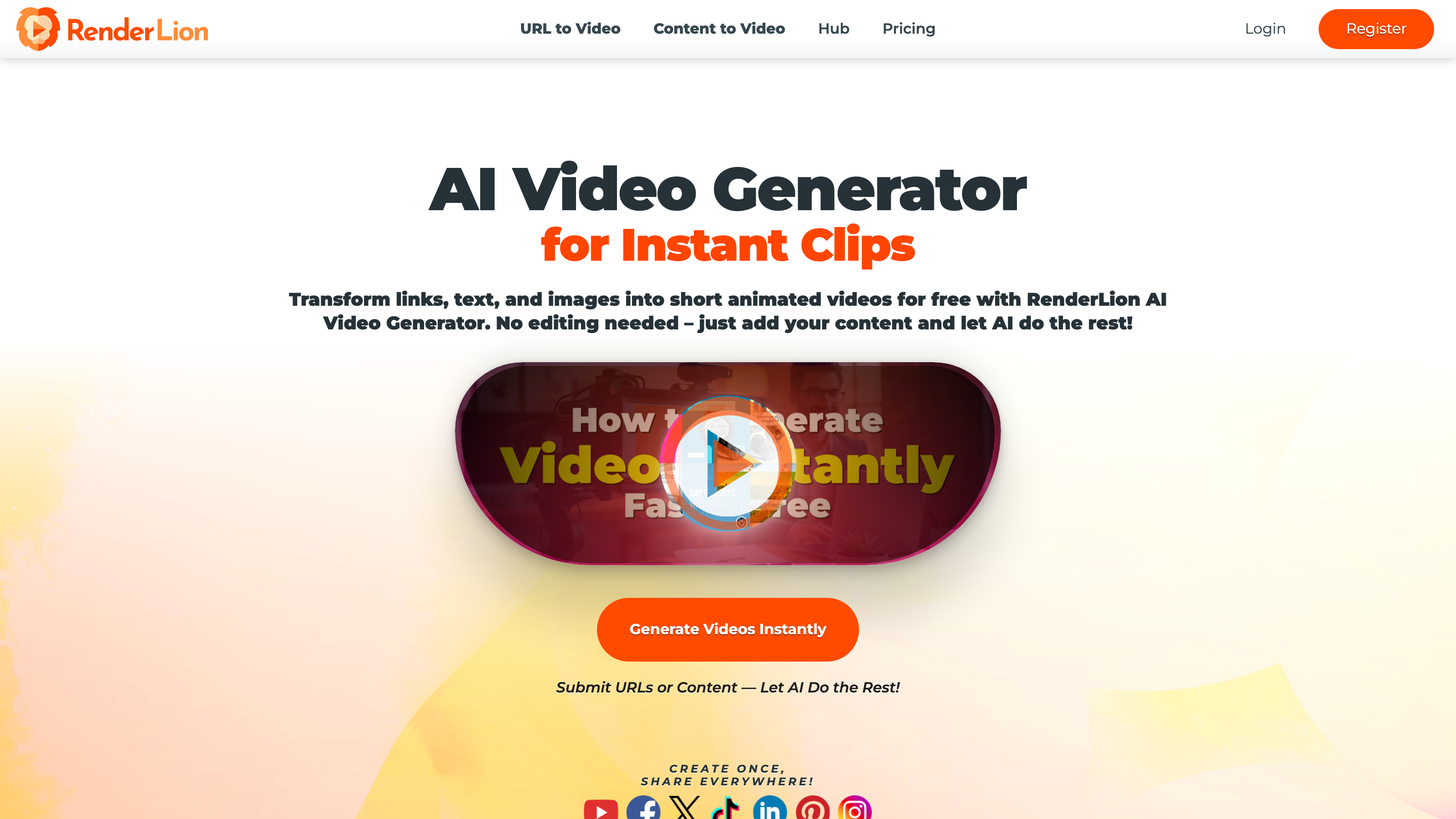
This RenderLion review covers an AI-powered web platform that converts text, URLs, images, and social posts into short branded videos in minutes. RenderLion targets content creators, marketing teams, and e-commerce operators who need consistent video output without a production team. Plans range from a free tier to $18/month for unlimited renders, as verified on the official site in July 2026.
Overview
Video content has become a baseline expectation for brands across every channel, yet producing it at scale remains expensive and slow. RenderLion is a web-based AI video generator designed to close that gap. Instead of hiring motion designers or learning complex editing software, users feed the platform raw inputs - a product page URL, a block of ad copy, a set of images - and receive a finished short-form video with music, motion graphics, captions, and brand styling applied automatically.
The platform sits in the growing category of AI Apps for Videos, targeting teams and individuals who need to publish across YouTube Shorts, TikTok, Instagram Reels, Facebook, and LinkedIn without building a production workflow from scratch. Its core promise is repeatability: brand kits and format presets mean every video looks consistent, regardless of who on the team created it.
RenderLion operates on a freemium model, so new users can test the output quality before committing to a paid plan. The tool is web-only, which keeps onboarding simple but also means there is no desktop application or mobile app.
Pricing and feature details in this review were verified from the official site in July 2026.
Key Features
AI Video Generator
The central capability is Text-to-Video Generation. Users can paste a script, product description, announcement, or social caption, and the AI assembles animated scenes with titles, transitions, and audio. The output is formatted for short-form social video rather than long-form content, so expectations should be set accordingly. This is a production tool for ad creatives, reels, and promos - not a film editor.
URL-to-Video Generation
This is one of RenderLion's more distinctive features. Paste any product page, blog post, or campaign URL and the platform pulls headlines, images, and key copy points automatically, then builds a short video from those assets. For e-commerce teams running dozens of product lines, this reduces per-video effort significantly without requiring asset re-gathering. Affiliate marketers and agencies managing catalog ads are likely to find the most practical value here.
Brand Presets (Brand Kit)
RenderLion includes a Brand Consistency and Style system it calls Brand Presets or Brand Kit. Users can store brand colors, fonts, and logo assets so every export carries consistent visual identity without manual setup on each project. For agencies managing multiple clients, this feature is especially useful - switching between brand profiles is faster than rebuilding settings from scratch each time, based on the platform's stated design.
Multi-Format Export
Every plan - including the free tier - supports three aspect ratios: 1:1 (square), 9:16 (vertical/portrait), and 16:9 (widescreen). That covers the major placement types across social platforms and digital advertising without needing to re-edit for each channel. Resolution caps differ by plan: free users export up to 720p, while paid plans export up to 1080p.
Easy-to-Use Filters and Effects
RenderLion includes a library of visual filters and motion effects that users can apply without any timeline editing experience. This is consistent with its positioning as a tool for non-editors. The range and quality of these effects are not detailed on the product site beyond their existence as a feature, so buyers who need highly specific visual styles should test the free tier before upgrading.
Lightning Fast Rendering
The platform emphasizes render speed as a competitive advantage. Fast rendering matters most to marketing teams running creative tests, where cycle time between concept and published asset directly affects how quickly a campaign can iterate. No specific render time benchmarks are published on the official site, but speed is positioned as a core differentiator.
RenderLion: Pricing
RenderLion uses a freemium structure with three tiers. All prices shown are monthly rates as verified in July 2026.
First Roar! Free - $0/month The free plan includes a limited number of video renders, export resolution capped at 720p, and access to all three aspect ratios (1:1, 9:16, 16:9). It is useful for evaluating the platform's output quality but is not practical for regular publishing workflows at scale.
Roar Louder! Starter - $6/month This tier allows 120 renders per year, raises export resolution to 1080p, and retains all three aspect ratio options. At roughly 10 renders per month on the annual allowance, this plan suits individual creators or small teams with moderate, predictable output needs.
Rule the Jungle! Growth - $18/month The Growth plan removes the render cap entirely with unlimited video renders, maintains 1080p export, and includes all three aspect ratios. This is the plan designed for agencies, marketing teams, or any workflow where video volume is high and unpredictable.
No enterprise tier or API access is listed on the official site. Annual billing options are not specified in the verified pricing data.
Who It's Best For
Content Creators and Influencers Solo creators who publish regularly across multiple platforms benefit from multi-format export and fast turnaround. Repurposing a blog post or announcement into a reel takes minutes rather than hours, based on the platform's stated workflow. The Starter plan at $6/month is a low-risk entry point for this group.
Marketing Teams Running Paid Social Teams managing paid social campaigns need creative volume. Testing multiple ad variants requires producing many short videos quickly, and RenderLion's unlimited renders on the Growth plan make that practical at $18/month. The Brand Presets feature also helps maintain visual consistency across a campaign without manual QA on every asset.
E-Commerce Brands Product-page-to-video generation via URL-to-Video Generation is a direct fit for e-commerce operators. Turning product listings into short video ads without a video editor on staff reduces production cost and time-to-launch for new SKUs or seasonal promotions.
Agencies Agencies managing multiple client accounts can use Brand Presets to store separate brand kits and produce client videos without rebuilding settings each time. The Growth plan's unlimited renders support high-output agency workflows where individual client projects stack up quickly.
Startups and Small Business Small teams with limited budgets but real video needs can start on the free plan to validate fit, then move to Starter or Growth as volume increases. The low entry cost removes the barrier that usually pushes small businesses toward static image ads instead.
Who Should Not Use RenderLion Professionals who need fine-grained control over video editing - precise cut timing, multi-track audio mixing, custom animation paths, or footage from external cameras - will find RenderLion too constrained. It is not a non-linear editor or a full motion graphics suite. Tools like Adobe Premiere Pro, DaVinci Resolve, or more specialized AI editors would serve that workflow better. Similarly, users who need exports above 1080p - such as broadcasters or high-production agencies - will hit a hard ceiling here regardless of plan.
Alternatives
Pictory Pictory is a web-based AI video tool that also converts text and URLs into short videos. It targets content marketers and offers more granular scene editing controls than RenderLion's current feature set describes. Pictory's pricing starts higher, making RenderLion the more budget-accessible option for basic use cases.
InVideo AI InVideo offers AI-driven video generation with a larger template library and more editing flexibility. It supports voiceover generation natively - a feature not listed among RenderLion's verified key features. Teams that need built-in voice-over as part of their workflow should evaluate InVideo AI directly before choosing between the two.
Canva Video Canva's video tools are deeply integrated with its design ecosystem. For teams already building graphics in Canva, the video capabilities may be sufficient without adding a separate tool. Canva does not specialize in URL-to-video conversion the way RenderLion does, so the two tools serve slightly different primary use cases.
FAQ
Does RenderLion add a watermark to free-tier videos? The official site does not explicitly list watermark details for the free tier in the verified pricing data. Buyers evaluating the free plan should test an export directly to confirm whether watermarks are applied before committing to a paid plan.
Can I use RenderLion videos for commercial advertising? Commercial use rights are not detailed in the verified product data from the official site. This is a critical question for anyone producing paid ads or client deliverables. Contact RenderLion's support directly to confirm licensing terms before publishing commercially.
Is RenderLion suitable for long-form video content? No. RenderLion is built for short-form video - social reels, product promos, ad creatives, and announcements. Users who need to produce long-form explainers, webinars, or documentary-style content will need a different tool designed for that format and length.
How many renders does the Growth plan allow? The Growth plan at $18/month offers unlimited video renders at up to 1080p resolution across all three supported aspect ratios. There is no published monthly or annual render cap on this tier, based on verified site data from July 2026.
Does RenderLion support languages other than English? Multilingual Support capabilities are not listed among RenderLion's verified key features on the official site. Users who need to produce video content in multiple languages should verify this directly with the vendor before purchasing.
RenderLion: Final Verdict
RenderLion is a focused, affordable tool for one specific job: turning existing content assets - URLs, text, images - into short branded videos quickly. As a Featured entry in the AI Apps for Videos category, it earns its place by keeping the workflow simple and the pricing accessible. The freemium model lowers the barrier to testing, and the Growth plan's unlimited renders make it practical for high-volume teams at $18/month.
This RenderLion review recommends it most strongly to e-commerce brands, content creators, and small marketing teams who need to produce consistent short-form video without hiring a motion designer. The URL-to-Video Generation feature alone separates it from generic text-to-video tools for product-focused workflows.
The main caveat: buyers who need API access, 4K exports, advanced editing control, or confirmed multilingual support will hit hard limits before long. For those use cases, evaluate more capable alternatives before committing. For everyone else building a repeatable short-form video workflow on a real budget, RenderLion is worth a free-tier trial.
The facts.
Pulled from RenderLion’s own pages and dated so you can see how current each one is. Anything we could not confirm is left out rather than guessed.
- Free tier
- Yes checked Oct 2026
- Starting price / month
- $6/mo checked Oct 2026
- Cheapest paid tier
- $6/mo checked Oct 2026
- Pricing model
- Flat checked Oct 2026
- Platforms
- web checked Oct 2026
RenderLion pricing.
Pricing extracted from RenderLion's site. Confirm before buying.
Pros & cons.
We don’t publish star ratings we can’t defend. These come from running RenderLion on live briefs.
AI-generated analysis; edited and accountable: Tom Young. Data is verified from vendor sites on a dated schedule, not hands-on trials.
- Verified
- July 2026
- Pipeline
- 2026.07.04-1
- Checks run (2)
- author, quality_review
- SEO score
- 66
- Evidence sources (1)
- renderlion.com