Cliptalk
We may earn a commission if you sign up through our link · Affiliate disclosure
Facts verified:
Cliptalk Review: An Honest Look at This AI Video Creation Platform
TL;DR
This Cliptalk review covers an AI-powered video platform that converts scripts, blog posts, and URLs into short-form videos with automated editing, captions, and voiceovers. Cliptalk runs on a freemium model starting at $0 and scaling to $59/month, as verified from the official site in July 2026. It is built for marketing teams, agencies, and content creators who need to produce video at volume without a full production crew.
Overview
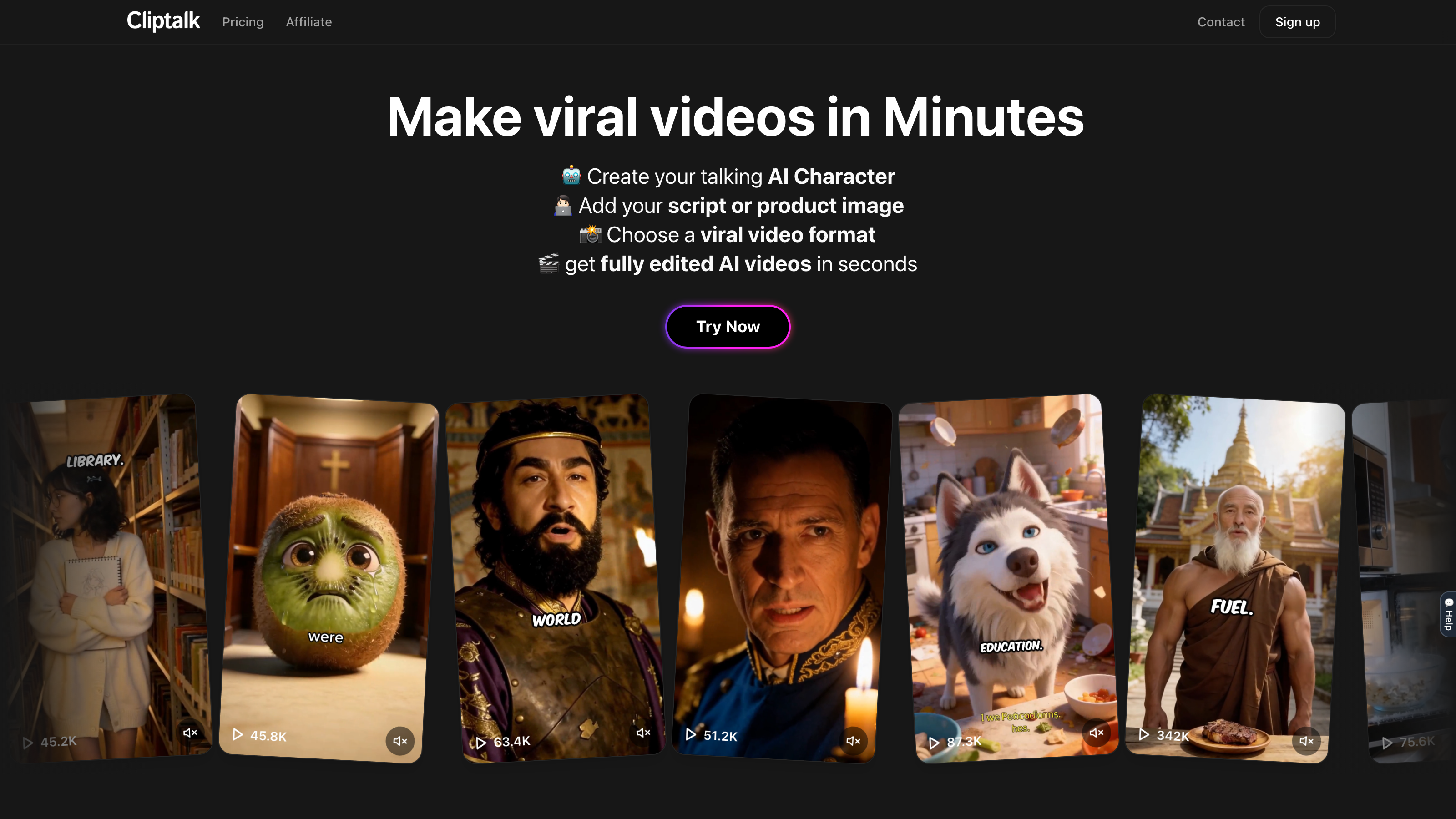
Cliptalk is a web-based AI video creation tool in the growing category of AI Apps for Videos. It targets one clear problem: traditional video production is slow, expensive, and requires specialized skills most marketing teams do not have in-house. Cliptalk compresses that process by handling editing, captions, b-roll, music, and voiceovers through automation. Users can go from a raw idea or piece of text to a publish-ready video without touching a timeline editor.
The platform sits in a competitive space alongside other AI video tools. It distinguishes itself with a credit-based system that bundles both video generation and AI image creation into a single monthly allowance. That unified credit pool matters for teams who want one tool to cover multiple content types rather than managing several subscriptions.
Cliptalk is listed as Featured among AI Apps for Videos, which signals active development and strong category positioning. The platform is web-only, meaning there is no desktop download or mobile app - users work entirely from a browser.
Pricing and feature details in this review were verified from the official site in July 2026.
Key Features
Auto-Editing
Cliptalk's Auto-editing function takes raw footage or text input and produces a structured, trimmed video without manual timeline work. This is the foundational feature that makes volume production feasible. Instead of cutting clips by hand, the AI identifies usable segments and assembles them into a coherent sequence.
Auto-Captions
Captions are generated automatically and synced to the video. For social media content where many viewers watch without sound, this is a practical necessity rather than a bonus. Auto-Captions removes one of the most time-consuming manual steps in post-production.
AI B-rolls
Rather than requiring users to source and license stock footage separately, Cliptalk generates or selects AI B-rolls to visually support the main content. This keeps production costs predictable and reduces time spent hunting for relevant visuals.
Natural Language Editing
Users can edit their video by typing plain-language instructions rather than manipulating a traditional timeline editor. Natural Language Editing lowers the barrier for non-editors and speeds up revision cycles for anyone who can write a clear instruction.
Remove Silences and Filler Words
The Remove Silences and Filler Words feature automatically trims dead air and verbal clutter like "um" and "uh" from recorded speech. For talking-head or interview-style content, this can eliminate a significant portion of manual editing time on every video.
Auto-Clipping
Auto-Clipping identifies the strongest segments from longer videos and extracts them as standalone short clips. This is useful for repurposing long-form content into social-ready snippets without scrubbing through the entire recording manually.
Idea to Video
The Idea to Video workflow lets users input a concept, script, or URL and receive a fully produced video output. This is Cliptalk's most automated pipeline and the one most relevant for content creators generating original material rather than editing existing footage.
Voice Cloning
Voice Cloning lets users replicate a specific speaker's vocal characteristics. This is valuable for brands that want consistent narration across many videos without scheduling a voice actor for every new piece of content. It is also useful for producing localized versions of content in different languages using a familiar brand voice.
Cliptalk: Pricing
Cliptalk uses a freemium model with four tiers:
- Free - $0/month: Includes 500 credits, which the platform estimates as roughly 5 videos. This tier is functional enough for testing the core workflow but not for sustained production.
- Basic - $19/month: Provides 3,000 credits per month, estimated at roughly 15 videos per month and roughly 600 AI images. This suits individuals or small teams with moderate output needs.
- Starter + - $39/month: Provides 8,000 credits per month, estimated at roughly 40 videos per month and roughly 2,000 AI images. This is the tier where regular content creators and small agencies start to see real throughput.
- Pro - $59/month: Provides 18,000 credits per month, estimated at roughly 90 videos per month and roughly 4,000 AI images. This covers high-volume teams producing daily content across multiple channels.
The credit system is notable because it covers both video production and AI image generation from the same pool. Teams that generate a high volume of AI images will consume credits faster and may find their effective video capacity lower than the headline numbers suggest. For example, a team splitting usage evenly between videos and images on the Basic tier would produce fewer than the estimated 15 videos per month. Cliptalk does not appear to offer annual billing based on available data, and there is no published information about enterprise or custom pricing tiers.
Who It's Best For
Marketing Teams Marketing teams running paid social or organic social media campaigns are the clearest fit. The combination of Idea to Video, Auto-Captions, and AI B-rolls means a small team can produce enough video to keep multiple channels active without hiring dedicated video editors.
Agencies Agencies managing video advertising or automated marketing collateral for multiple clients can use the Starter + or Pro tiers to handle volume. The credit-based system scales predictably, which helps with client billing and margin planning.
Content Creators Independent video creators who publish regularly on YouTube, Instagram, or TikTok will find that Auto-Clipping and Remove Silences and Filler Words reduce their editing workload on every video. The Free tier allows testing before committing to a paid plan.
Startups and Small Business Small businesses that need branded video for product pages, email, or social proof but cannot afford a production budget will find the Basic tier ($19/month) a practical starting point. The Voice Cloning feature lets them maintain consistent narration without recurring voiceover costs.
Educators Educators producing educational videos or AI-Generated Learning Content can use Cliptalk to convert lesson scripts or blog posts into structured video without editing experience.
Not the Right Fit: Professional Video Editors Seeking Precision Control Cliptalk is built for speed and automation, not granular editorial control. A professional video editor who needs frame-accurate cuts, color grading, multi-track audio mixing, or advanced motion graphics will find Cliptalk's toolset limiting. These users are better served by dedicated non-linear editors like Adobe Premiere Pro, DaVinci Resolve, or Final Cut Pro, which offer the precision and extensibility that production-level work requires.
Alternatives
Pictory Pictory is a web-based AI video tool that also converts scripts and articles into videos with automatic captioning and scene selection. It targets a similar audience of content creators and marketing teams. Pictory's credit system and pricing structure are comparable to Cliptalk's lower tiers, making it a direct alternative worth comparing before committing.
Descript Descript combines transcript-based video editing with screen recording, podcasting, and overdub (voice cloning). It is a stronger choice for teams that work heavily with spoken-word content and need tighter editorial control than Cliptalk offers, though it comes at a higher price point for advanced features.
Opus Clip Opus Clip specializes in Auto-Clipping, taking long-form video and extracting viral-optimized short clips. It is narrower in scope than Cliptalk but stronger if short-clip extraction is the primary need rather than end-to-end video creation.
FAQ
Does Cliptalk offer a free trial or free tier? Yes. Cliptalk's Free plan costs $0/month and includes 500 credits, which the platform estimates covers roughly 5 videos. This is a genuine functional tier rather than a time-limited trial, but the credit volume is not sufficient for ongoing content production.
What does "credits" mean in Cliptalk's pricing? Credits are the unit of consumption across the platform. Both video creation and AI image generation draw from the same monthly credit pool. The platform provides estimates - for example, 3,000 credits equals roughly 15 videos or roughly 600 AI images - but actual consumption depends on video length, complexity, and feature use.
Can Cliptalk produce videos in languages other than English? Voice Cloning and Multilingual Support are listed as part of Cliptalk's feature set, which indicates the platform handles multiple languages. The specific languages supported are not detailed in the available product data, so confirming your target language is supported before subscribing is advisable.
Is Cliptalk suitable for paid advertising video production? Cliptalk's automation features, including Idea to Video and AI B-rolls, are suited for producing ad creative at volume. Marketing teams running paid social media marketing or video advertising campaigns are an explicit use case the platform is designed to serve.
What happens if I run out of credits before the month ends? Credit top-up or rollover policies are not detailed in the publicly available product data. Before subscribing, confirm with Cliptalk directly whether unused credits roll over, whether additional credits can be purchased at a per-unit rate, and what happens to video generation access when credits are exhausted.
Cliptalk: Final Verdict
Cliptalk is a practical tool for teams that need to produce video at a pace traditional editing software cannot support without a dedicated editor. Its strongest case is for marketing teams, agencies, and content creators who are currently bottlenecked by production time rather than by the need for precise editorial control.
The tiered credit system is transparent about what each plan delivers, and the Free tier allows genuine evaluation before any money changes hands. The $19/month Basic tier is a reasonable entry point for individuals, and the $59/month Pro tier covers high-volume agency use at a price that is competitive with similar platforms.
The main caveat is platform dependency: web-only access and no published API means Cliptalk works best as a standalone tool in your content stack rather than as an integrated layer in a larger automated workflow. Teams that need Cliptalk to connect directly with other software - such as a CMS or social scheduling tool - should confirm that capability with the vendor before committing to a paid plan.
For teams whose primary goal is faster video output with less manual work, this Cliptalk review concludes it is a credible, fairly-priced option worth evaluating.
The facts.
Pulled from Cliptalk’s own pages and dated so you can see how current each one is. Anything we could not confirm is left out rather than guessed.
- Free tier
- Yes checked Oct 2026
- Starting price / month
- $19/mo checked Oct 2026
- Cheapest paid tier
- $19/mo checked Oct 2026
- Pricing model
- Flat checked Oct 2026
- Platforms
- web checked Oct 2026
Cliptalk pricing.
Pricing extracted from Cliptalk's site. Confirm before buying.
Pros & cons.
We don’t publish star ratings we can’t defend. These come from running Cliptalk on live briefs.
AI-generated analysis; edited and accountable: Tom Young. Data is verified from vendor sites on a dated schedule, not hands-on trials.
- Verified
- July 2026
- Pipeline
- 2026.07.04-1
- Checks run (2)
- author, quality_review
- SEO score
- 65
- Evidence sources (1)
- cliptalk.pro